
Your team checks ChatGPT on Monday, Perplexity on Wednesday, and Gemini whenever someone remembers. Each answer gets pasted into a spreadsheet nobody trusts by Friday. One week your brand shows up in the recommendation. The next week it’s gone, and no one can say what changed. Checking AI answers by hand scales badly, and it tells you almost nothing about the trend underneath. The problem was never running the checks. It’s seeing all of them in one place, over time, with enough detail to act on. That’s what an AI response monitoring dashboard is supposed to do, and where most fall short.
What AI Response Monitoring Software Actually Tracks
AI response monitoring software tracks how AI models describe and recommend your brand, not where a page ranks. Rank tracking answers “where do I appear in the list.” AI response monitoring answers a different question: does the model mention you at all, how does it describe you, and is the sentiment in your favor.
That distinction matters more than it sounds. AI engines synthesize one answer from many sources. You’re either inside that synthesized answer or you’re not. There’s no position 7 to climb toward.
This is where a lot of teams get caught. Research on the B2B buying journey found that 94% of B2B buyers now use AI answer engines like ChatGPT, Perplexity, and Gemini as a primary research channel. Yet the correlation between Google rankings and AI citation probability runs as low as 0.034, close to none. A brand can hold strong organic rankings and still be absent from every AI recommendation in its category.
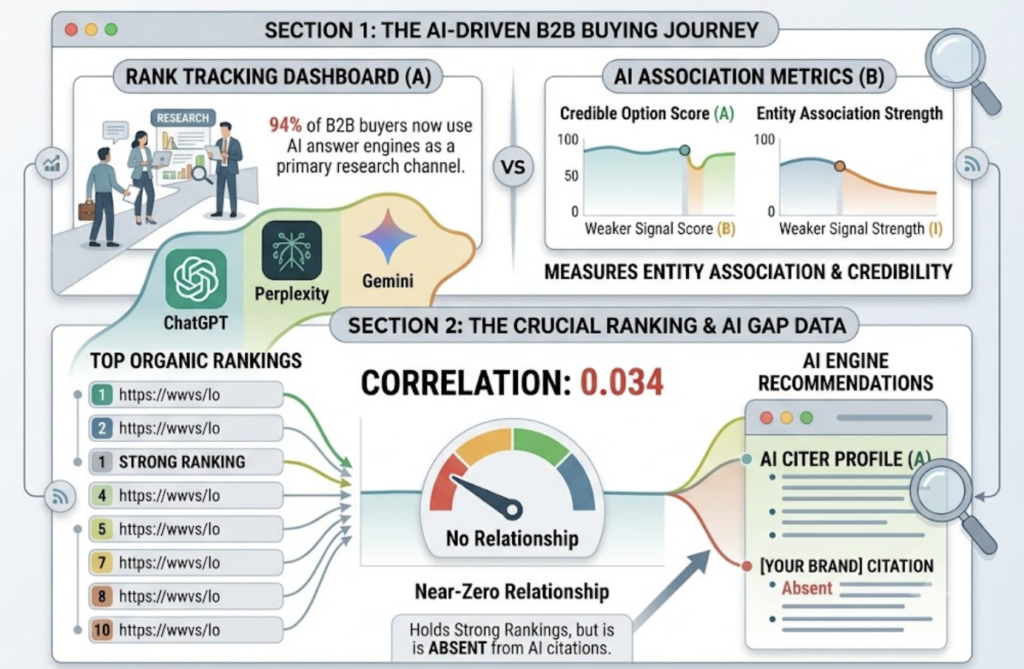
Call it the invisibility gap. Your SEO dashboard says you’re winning. The AI answer your buyer actually reads never names you.
How an AI Response Monitoring Dashboard Works
AI search is non-deterministic. The same prompt returns different answers depending on context, model version, and session history. That’s why a single manual check tells you so little. One analysis found citation overlap between platforms can sit as low as 11 to 12%, so a spot check on one engine, on one day, is closer to a coin flip than a measurement.
A monitoring dashboard replaces the spot check with a system. The pipeline usually runs in three stages.
First, prompt universe mapping. You define a golden set of high-intent prompts that mirror how buyers actually query AI: category questions, comparison questions, and problem-based questions.
Second, cross-platform sampling. The system runs those prompts across engines on a schedule, not when someone remembers.
Third, entity parsing. Natural language processing pulls structured data out of the unstructured answers: whether you’re mentioned, how you’re positioned against competitors, and which third-party domains the model cited as proof.
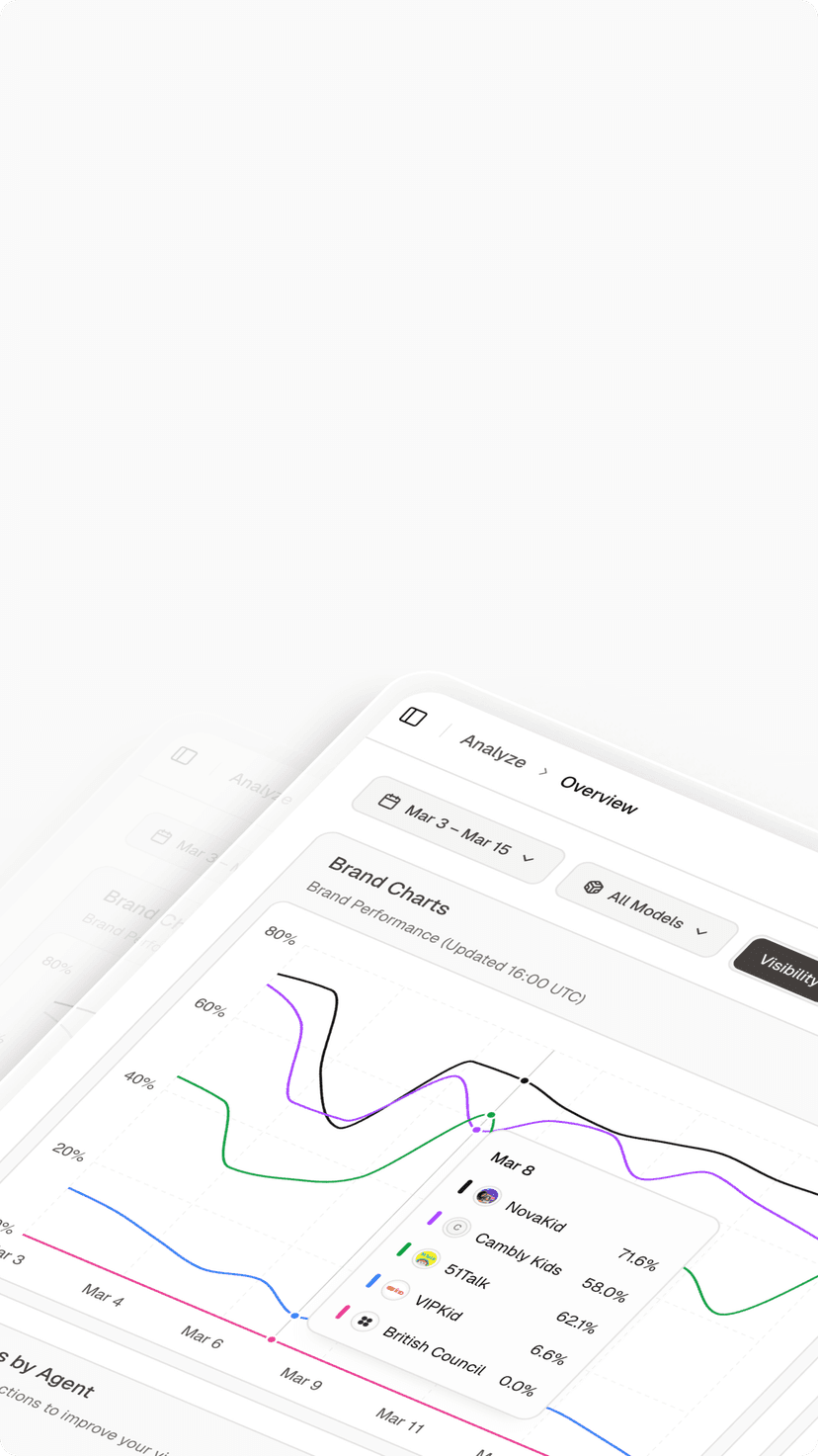
The output is the part that matters. Instead of a spreadsheet of pasted text, you get a trend line for each metric, per engine, over time. That’s the difference between knowing your mention rate dropped and guessing that it might have.
The Metrics That Separate Noise From Real Signal
Counting mentions is where most dashboards stop. It’s also where they go wrong. A mention with no sentiment or position attached can hide the fact that you’re being described as the expensive option or the last resort.
Useful AI response monitoring analytics track seven dimensions, not one:
| Metric | What it tells you |
|---|---|
| Visibility / mention rate | Share of prompts where your brand shows up |
| Positioning | Whether you’re the primary pick or a footnote |
| Sentiment | The tone of the description, leader vs. expensive |
| Share of voice | Your mentions vs. competitors in category answers |
| Citation source authority | Which domains the AI trusts to validate you |
| Intent alignment | Whether the answer matches a high-intent buyer stage |
| Conversion likelihood | A proxy for whether the citation drives real traffic |
This is the model Topify built its dashboard around. Its Comprehensive GEO Analytics view consolidates visibility, sentiment, position, volume, mentions, intent, and a conversion visibility rate into one screen. In practice, that means you can watch your mention rate drop on Perplexity and trace it to a specific source domain that stopped citing you, without leaving the dashboard.
The metric you skip is usually the one that explains the number you care about.
Where Most AI Response Monitoring Tools Fall Short
Plenty of tools claim to monitor AI answers. The gap shows up in what they ignore.
Single-engine blindness is the most common. A tool that only watches ChatGPT misses the distinct sourcing behavior of other engines. Perplexity leans on community signals. Gemini leans institutional. Watch one and you’ve measured a third of the picture.
Mention counting without context is the next trap. A rising mention count looks like progress, right up until you read the sentiment and find the model calls you a budget alternative.
Then there’s the stale snapshot problem. Citation patterns drift week to week. A tool that samples occasionally catches the drift only after it’s already cost you pipeline.
And the one teams ignore most: citation sources. AI models recommend based on consensus across third-party domains. Skip your reputation on the sites the model trusts, like G2 or industry media, and you starve it of the data it needs to recommend you.
How to Choose an AI Response Monitoring Solution
A good AI response monitoring solution earns its place against a short checklist, not a long feature list. Five things matter.
| Requirement | Why it matters |
|---|---|
| Engine coverage | At least 4 major platforms, or you’re measuring a fraction |
| Metric depth | Sentiment and position, not just a yes/no mention |
| Citation analysis | Shows which domains drive your citations |
| Competitive benchmarking | Tracks rivals in the same prompt set |
| Actionability | Turns data into a clear next step, not a log to read |
The last row is where most platforms stop short. A dashboard full of numbers and no instruction on what to do next still leaves the work to you.
This is the line Topify draws between data and action. Beyond the seven-metric view, it benchmarks competitors in real time across your prompt set and analyzes the exact domains and URLs each engine cites, so you can see whether you or a rival owns those references. Its one-click execution then turns a finding into a deployed GEO strategy, stated in plain English and launched without a manual workflow.
For a marketing team, the test is simple. Can the tool tell you not just that your visibility dropped, but what to change and on which platform?
What AI Response Monitoring Software Costs
AI response monitoring software pricing tends to track three things: how many prompts you monitor, how many engines you cover, and how many AI answers the platform analyzes each month.
Topify’s pricing starts at $99 a month on the Basic plan, which covers ChatGPT, Perplexity, and AI Overviews tracking, 100 prompts, and 9,000 AI answer analyses, with a 30-day trial. The Pro plan at $199 a month raises that to 250 prompts and 22,500 answer analyses. Enterprise starts at $499 a month with a dedicated account manager.
The math worth running isn’t the subscription. It’s the cost of staying invisible while 94% of your buyers research in AI. A plan that surfaces one prompt where a competitor replaced you can pay for itself in a single recovered deal.
You can get started and scale once the value is clear.
Conclusion
The manual approach, checking each engine by hand and hoping the spreadsheet holds up, doesn’t fail because teams aren’t diligent. It fails because AI answers shift faster than anyone can track them one screenshot at a time. An AI response monitoring dashboard fixes the problem at its root: it watches every engine on a schedule, structures what they say, and shows you the trend with enough detail to act. Start by mapping the prompts your buyers actually ask, baseline your share of voice, then watch what moves. The brands that win in AI search are the ones measuring it before their pipeline tells them to.
FAQ
Q: How do you improve AI response monitoring results?
A: Start with a baseline scan to find prompts where competitors are mentioned and you’re not. Then refine the content AI parses for those topics, using structured data, FAQ-style answers, and clear statistics, and build authority on the third-party domains the engines already cite. Re-monitor each cycle to confirm the change moved your share of voice.
Q: What’s an example of AI response monitoring software in action?
A: A team notices its mention rate on Perplexity fell over two weeks. The dashboard traces it to a review site that stopped citing the brand. They prioritize that domain, the citation returns, and the mention rate recovers on the next sampling cycle. The dashboard turned an invisible drop into a fixable task.
Q: What should be on an AI response monitoring checklist?
A: Coverage of at least four engines, metric depth beyond binary mentions, citation source analysis, competitor benchmarking in the same prompt set, and a clear action layer that tells you what to change.
Q: What’s a good strategy for AI response monitoring?
A: Treat monitoring as the diagnostic half of a cycle: baseline your share of voice, run a gap analysis against competitors, refine content and authority on the domains AI trusts, then re-monitor to measure impact. Monitoring without a strategy loop is just watching the number move.