

A form can look simple while hiding a long chain of assumptions. The user is expected to infer which fields are required, translate an error code, notice a message far above the viewport, remember what was entered before a reload, and decide whether clicking again will create a duplicate. Browser agents inherit the same ambiguity and add their own failure modes around naming, focus, and state. Designing forms for AI agents starts with the same principle as accessible form design: make purpose, constraints, errors, and consequences explicit. The goal is dependable human-supervised completion, not invisible automation of sensitive actions.
Labels Must Identify the Field’s Real Purpose
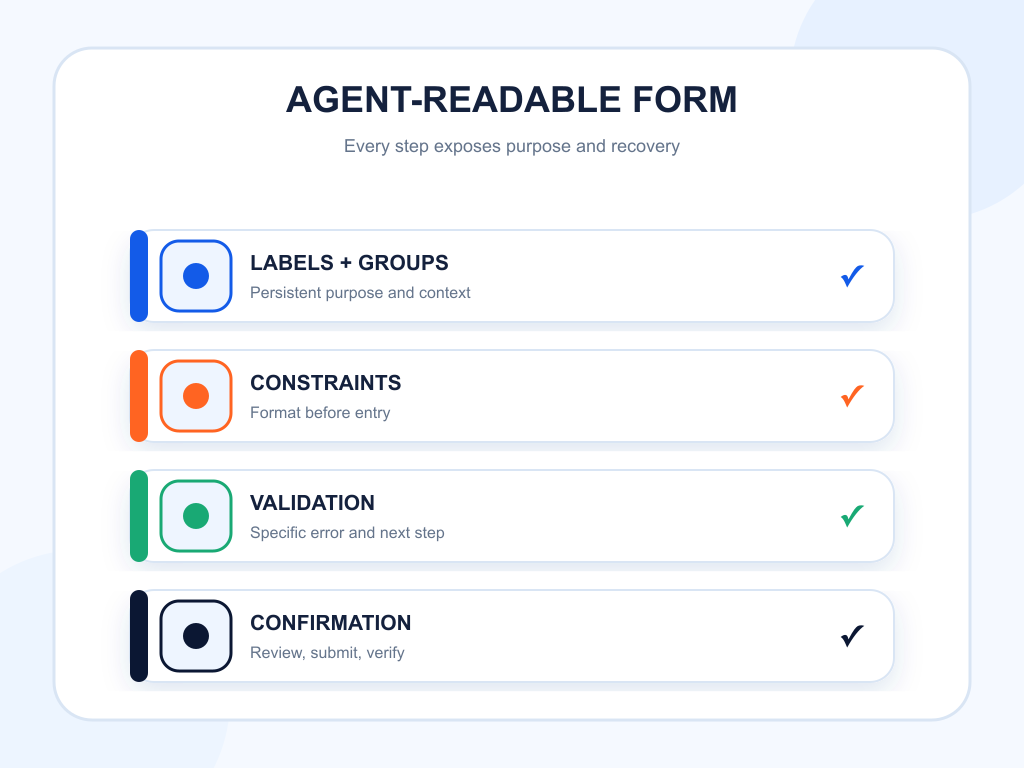
Every control needs a persistent programmatic label. Placeholder text disappears after entry and often provides an example rather than a name. Associate visible <label> text with the input, or use a correct accessible-name method when the design cannot include visible text.
Use specific wording. “Name” can mean the account holder, attendee, recipient, or organization. “Email” can mean login, receipt, or contact address. State the role when the distinction affects the task.
For repeated controls, keep labels unique. A list of contacts with five “Remove” buttons needs contextual names such as “Remove Jordan Lee.” This helps screen-reader users and gives agents a stable target.
Group Related Controls and Explain Format
Use fieldset and legend or an equivalent accessible grouping for radio buttons, checkboxes, dates, and multi-part questions. The group label supplies context that individual options cannot carry alone.
Explain format before entry. If a date must use a certain convention, show the expected form in text and accept common alternatives where possible. If a password has requirements, display them before the user submits. Do not make the agent discover constraints one error at a time.
Autocomplete tokens can identify common field purposes such as name, email, address, and payment details. Use them accurately. They improve browser assistance for people, but they do not authorize an agent to transmit personal data.
| Form failure | Semantic cause | Agent symptom | User impact | Recommended fix |
|---|---|---|---|---|
| Placeholder is the only label | No persistent accessible name | Field is unnamed or misidentified | User forgets expected value | Add a visible associated label |
| Error shown only at page top | No field relationship or focus | Agent retries without correction | User cannot find the problem | Link summary to field and add inline message |
| Required state shown by asterisk only | Meaning is not explicit | Optional fields are guessed | Submission fails late | State required or optional in text and semantics |
| Custom dropdown lacks keyboard support | Wrong role and focus model | Selection cannot be completed | Keyboard flow breaks | Use native select or valid combobox pattern |
| Submit has no durable result | State change is unclear | Agent clicks twice | Duplicate request or payment risk | Show a unique confirmation and disable duplicate action |
Validation Should Point to a Recoverable Next Step
Validate after the user has enough information to act. Premature errors while a person is typing create noise. On submission, provide an error summary and move focus to it when appropriate. Each message should name the field, explain the problem, and state the accepted correction.
Preserve valid values. If one field fails, do not clear the entire form. For server errors, distinguish a temporary failure from invalid input. State whether the request was received and whether retrying is safe.
Use aria-invalid and an associated error description for custom validation, while keeping the error visible. Do not rely on red outlines or icons alone.
Focus Must Follow the Task State
When a validation error appears, keyboard and agent input should have a logical destination. When a modal opens, focus should move into it. When it closes, focus should return to the initiating control or the next logical step.
Multi-step forms need stable headings and progress information. State the current step, total steps, and what will happen next. Preserve state when the user returns to an earlier step.
Avoid automatically advancing after a selection unless the behavior is clearly announced. Unexpected navigation can make an agent type into the wrong field and can disorient a person using assistive technology.
Progressive Disclosure Must Remain Discoverable
Complex forms often hide optional sections behind toggles. The control should expose whether the section is expanded and which region it controls. The hidden section should not remain focusable.
Do not hide required information behind an unlabeled icon. If selecting “Business purchase” reveals tax fields, state that relationship. If a change invalidates an earlier answer, notify the user and explain what needs review.
Keep important terms and consequences visible near the decision. An agent should not need to infer that a small chevron contains cancellation rules or data-sharing consent.
Add a Distinct Review and Confirmation Boundary
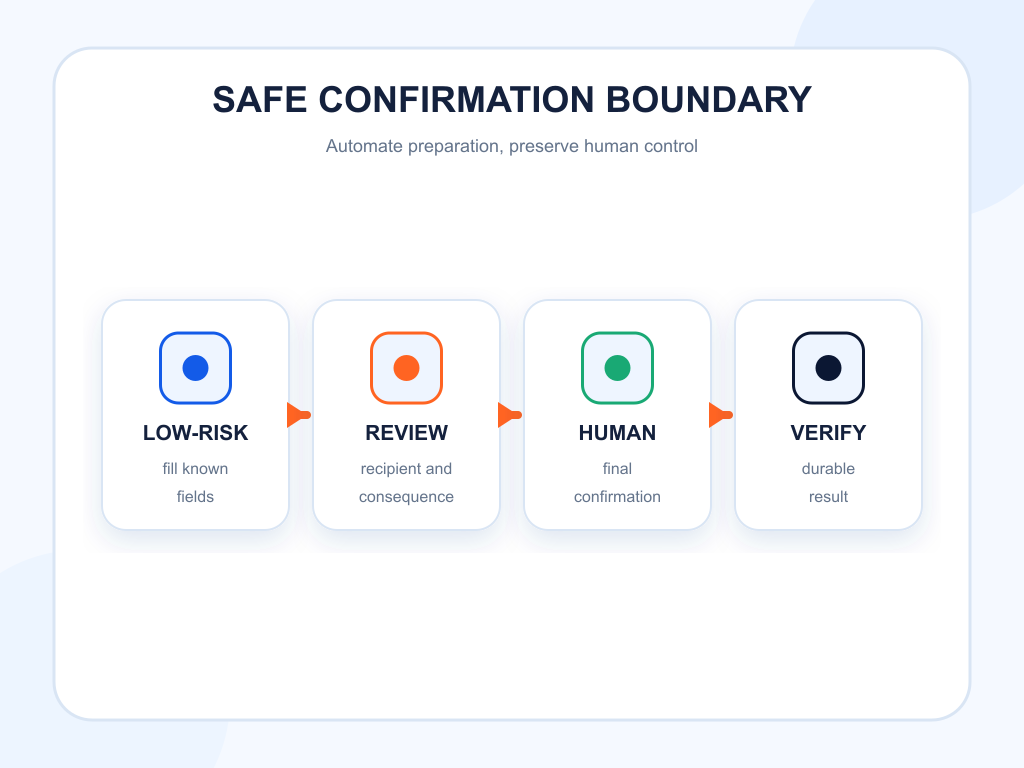
OpenAI’s computer-use safety guidance recommends keeping users in control of purchases, data transmission, destructive changes, and actions that are hard to reverse. A well-designed form makes that boundary easy to enforce.
Before the final action, show the exact data, recipient, amount, date, account, or permission that will change. Let the user edit earlier steps without losing valid inputs. Use a specific final label such as “Submit application,” “Confirm booking,” or “Pay $84.00.”
After completion, display a durable confirmation page rather than a transient toast alone. Include a reference number or saved-record link where appropriate. Prevent repeated submission while the request is processing.
CAPTCHA and Authentication Need Human Handoff
Do not design flows that encourage an agent to bypass security controls. CAPTCHA, one-time codes, account recovery, and high-risk authentication steps should support a clear handoff to the user.
Explain what the user must do and preserve the form state during handoff. After authentication, return to a predictable step. Avoid opening several indistinguishable windows or losing the transaction context.
Where possible, offer standards-based sign-in and passkey flows with accessible instructions. Security and operability should reinforce each other, not force a choice between them.
Test a Matrix of Values and Failures
Run more than the happy path. Test required and optional fields, international names and addresses, long values, special characters, keyboard navigation, mobile layouts, slow networks, expired sessions, unavailable selections, and duplicate submissions.
For browser-agent testing, record success rate, steps, retries, incorrect fields, validation recovery, and final-state verification. Test with visual interaction and role or label-based locators. A flow that only succeeds through brittle CSS selectors is not dependable.
Keep test data synthetic and avoid transmitting real personal information into third-party environments. Confirm that logs and screenshots do not retain secrets.
Connect Form Success to AI Discovery
Forms sit late in the journey. Topify can show whether AI answers mention or recommend the brand and which sources support the recommendation. Form analytics show whether the next step succeeds. Combine the stages without collapsing them.
A drop in leads after an AI-visibility gain may be an interface problem, an audience mismatch, or attribution loss. Segment by referral where possible, review task replays under appropriate privacy controls, and compare the form’s completion rate with the quality of the originating prompt or page.
The practical sequence is: earn relevant visibility, provide a clear destination, make the form operable, preserve user control, and verify the outcome.
For high-value forms, maintain a small task matrix that covers a valid submission, a missing required field, an invalid format, a server-side rejection, and a successful confirmation. Run the matrix with a keyboard and at least one browser automation path after meaningful changes. Capture which field failed, whether focus moved to the problem, whether earlier values survived, and whether the final state was durable after a reload. This turns broad claims about agent compatibility into a repeatable quality check.
The same matrix helps product teams separate usability defects from policy boundaries. An agent may correctly understand every field yet still need a human to approve a purchase, accept legal terms, or solve an identity challenge. Document that boundary in the interface and in test expectations. Clear limits are safer than unpredictable automation and more useful than pretending every workflow should be fully autonomous.
Conclusion
Forms for AI agents should be designed as explicit, recoverable, human-supervised workflows. Use persistent labels, meaningful groups, visible constraints, field-level errors, stable focus, discoverable disclosure, and a distinct review step before consequential submission. Provide durable confirmation and a clean human handoff for CAPTCHA, authentication, or sensitive decisions. Then test complete flows across values, devices, failure states, and interaction modes. These practices do not grant an agent permission or guarantee conversion. They reduce ambiguity for everyone completing the form and make it easier to prove whether the requested action actually happened.
FAQ
What makes a form usable by an AI agent?
Clear labels, native controls, exposed state, predictable focus, specific validation, preserved values, and a verifiable confirmation make tasks more reliable.
Should agents automatically submit forms?
Not for consequential actions without appropriate user confirmation. The website should provide a distinct review and final-action boundary.
How should form errors be written?
Name the affected field, explain what is wrong, state the accepted correction, connect the message programmatically, and preserve valid inputs.
Can an agent solve a CAPTCHA?
CAPTCHA and similar security checks should trigger human handoff. The form should preserve progress and return the user to a predictable state afterward.