
A marketing team signs up for a GEO platform at $199 a month. Eight weeks later, the invoice reads $340. Nobody changed the plan. Nobody added a seat. The team just started using the product the way the sales deck said they would.
That gap between the quoted price and the real bill is the whole story of GEO pricing right now. Vendors show you the floor. They rarely show you the ceiling.
This isn’t a new problem in software buying. It’s a new version of an old one, now applied to a category that barely existed two years ago. GEO platforms track prompts, mentions, and citations across ChatGPT, Perplexity, Gemini, and other AI engines. The billing units are new. The incentive to keep the sticker price low and recover margin elsewhere isn’t.
Most GEO Quotes Show You the Floor, Not the Ceiling
A pricing page is designed to get you to click “start trial,” not to forecast your actual spend. It shows the lowest number that’s still technically true.
That’s not unique to generative engine optimization tools. Across SaaS broadly, 67% of buyers only discover the real cost of a platform after they’ve already signed, according to CloudNuro’s overview of SaaS overage charges. The same research pegs wasted SaaS spend at 31% of total budgets industry-wide, much of it tied to usage swings nobody was watching.
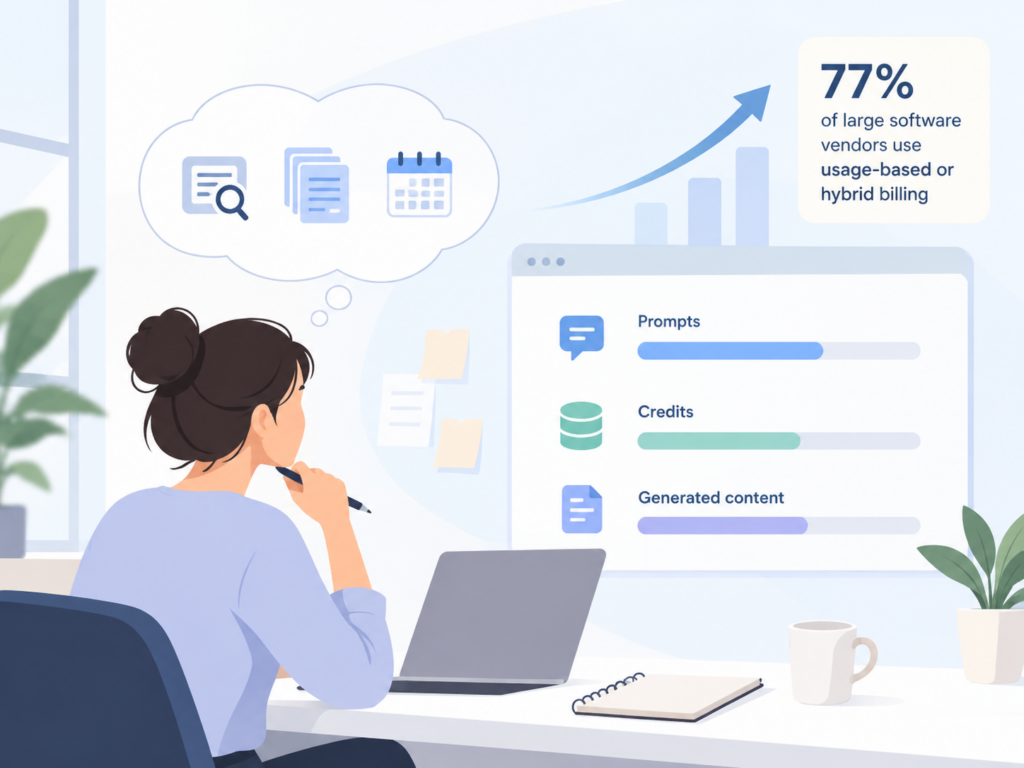
GEO pricing sits squarely inside that trend. Most platforms now run on some form of usage-based or hybrid billing, tracking prompts, credits, or generated content instead of a flat seat fee. That’s the direction 77% of large software vendors have already moved toward. It’s efficient for the vendor. It’s also where the surprises live.
Here are five cost categories that rarely show up on the pricing card, and what to check for before you sign anything.
Hidden Cost 1: Usage Caps That Force a Mid-Contract Upgrade
Every GEO plan caps something: prompts tracked per day, mentions monitored, queries run. The number on the pricing page looks generous until your tracking scope actually grows.
Topify’s own tiers make the pattern visible. The Starter plan tracks 50 prompts a day, Standard moves to 100, and Pro jumps to 300. That’s not a criticism of the structure. It’s just math you need to run against your own prompt list before you pick a tier, because a team that starts at 45 tracked prompts is one product launch away from needing the next plan up.
The real question to ask any vendor isn’t “what’s the daily cap.” It’s “what happens the day I go over it.” Some platforms auto-upgrade you. Others throttle tracking. A few just stop collecting data on the prompts past your limit, which is worse than an overage fee, because you don’t find out until you’re already missing a competitor’s move.
This matters more in GEO than in most SaaS categories. AI search behavior shifts fast. A prompt that mattered little in January can become a core buying question by March, once an AI engine starts surfacing it more often. Teams that size their plan against last quarter’s prompt list, instead of where the category is heading, tend to hit the ceiling faster than they expect. Get the overage answer in writing before you sign, not after your usage graph spikes.
Hidden Cost 2: Credits That Expire Before You Use Them
Plenty of usage-based platforms reset unused credits to zero every billing cycle. You paid for 500 research credits, used 300, and the other 200 just vanish on renewal day. That’s money spent on nothing.
This is where the fine print actually matters more than the sticker price. Topify’s billing documentation confirms that both research credits and content generation credits accumulate month over month rather than resetting, so unused capacity carries forward instead of disappearing. It’s a small mechanical detail, but it changes the real cost of a plan over a full year, especially for teams with seasonal usage.
Ask any vendor directly: do unused credits roll over, or do they reset? The answer often isn’t on the pricing page at all.
Hidden Cost 3: Per-Project or Per-Brand Limits
A “1 project” limit sounds fine until your agency signs a second client, or your company launches a second brand. Then you’re stuck paying for an entire tier upgrade just to add a workspace.
Topify’s Starter and Standard plans include one project per account. Multi-project support only opens up at the Pro tier. That’s a completely reasonable way to structure a product. It’s also the kind of limit that rarely gets flagged during a sales call, because nobody asks about brand count two, three, and four when they’re still evaluating brand count one.
If you manage more than one brand, or expect to within the contract term, confirm the project ceiling before you compare prices across vendors. A cheaper plan with a one-project cap can end up costing more than a pricier plan that already includes the room you need.
Hidden Cost 4: Platform Coverage That Isn’t Actually Full Coverage
“Multi-platform AI tracking” is on almost every GEO pricing page. It rarely specifies which platforms, and coverage tends to expand as you move up the tier ladder.
Take a look at how tiers are typically structured, using Topify’s published plans as one concrete example.
| Plan | AI Engines Shown | Notable Gap |
|---|---|---|
| Starter | ChatGPT, Perplexity, Google AI Overviews, Gemini | No Claude coverage |
| Standard | ChatGPT, Perplexity, Google AI Overviews, Gemini | No Claude coverage |
| Pro | ChatGPT, Perplexity, Google AI Overviews, Gemini | No Claude coverage |
| Enterprise | Adds Claude | Custom scope required |
That’s not a flaw specific to any one vendor. It’s a structural pattern across the market: engine coverage often expands with tier, and “full coverage” claims usually mean full coverage of whatever engines that particular plan includes. Before you sign, get the exact list of AI platforms tracked at your specific tier, not the list on the marketing homepage.

Hidden Cost 5: The Annual Discount That’s Really a Lock-In
Every GEO vendor wants you on an annual plan, and the discount is real. Topify’s own tiers save 33% to 34% when billed yearly instead of monthly.
That’s a legitimate trade, but it’s still a trade. You’re getting a lower rate in exchange for a longer commitment, and the terms of that commitment, cancellation windows, downgrade timing, refund policy, matter more than the headline percentage. A useful framework here comes from recent SaaS pricing research: think in terms of floor, allowance, and ceiling. The floor is your minimum commitment. The allowance is what you actually get to use before extra charges kick in. The ceiling is whatever caps your maximum exposure. If a vendor can’t clearly answer all three, the annual discount is worth less than it looks.
Topify’s structure is transparent on this point: upgrades apply immediately with prorated charges, and downgrades take effect at the next billing cycle, so you don’t lose access mid-term. Not every vendor states that plainly. Ask for it before you commit to twelve months.
How to Read a GEO Pricing Page Before You Sign
Run every quote through the same short checklist, regardless of which platform you’re evaluating.
- What’s the daily or monthly usage cap, and what happens when you exceed it
- Do unused credits carry forward, or reset every cycle
- How many projects, brands, or workspaces does the base tier actually include
- Which specific AI engines are tracked at your tier, not just at the top tier
- What are the exact terms for downgrading, canceling, or exiting an annual contract
None of this is about finding the cheapest number on the page. It’s about making sure the number you’re comparing across vendors actually reflects what you’ll spend once your team starts using the tool the way it’s meant to be used. Topify publishes its full credit and prompt structure on its pricing page precisely so that comparison can happen before signing, not after the first invoice lands.
Conclusion
The real comparison between GEO vendors doesn’t happen on the pricing page. It happens in the fine print about caps, credits, project limits, engine lists, and contract terms. Ask those five questions before you sign, and the number you agreed to is the number you’ll actually pay.
FAQ
What’s a typical GEO pricing model?
Most platforms now use a hybrid structure: a base monthly or annual fee that includes a set number of prompts, credits, or generated articles, with usage-based charges or a forced upgrade once you exceed that allowance.
How much does GEO monitoring actually cost?
Entry-level plans in the market generally start well under $200 a month, with mid-tier plans commonly landing in the $300 to $600 range once you need broader engine coverage or higher prompt volume. Enterprise pricing is typically custom.
What drives the total cost of ownership for a GEO tool beyond the sticker price?
The five factors covered above, usage caps, credit expiration, project limits, engine coverage gaps, and contract lock-in terms, are the main levers that separate the quoted price from the actual annual spend.