
Your Jenkins pipeline has 47 plugins. Three engineers know how it actually works. Last Tuesday, a failed deployment took four hours to roll back because the process was manual, undocumented, and dependent on a Slack thread from six months ago.
That’s not a people problem. That’s a tooling architecture problem. Modern delivery pipelines don’t just need to run code — they need to detect failures, trigger rollbacks, manage environments, and report on deployment health, all without waiting for a human to notice something went wrong.
That’s the gap most DevOps teams are still closing.
Harness DevOps Guide: What the Platform Actually Solves
Harness is a software delivery platform that covers the full lifecycle from code commit to production deployment. It’s not a drop-in replacement for a single CI/CD tool. It’s designed to replace the entire patchwork of scripts, plugins, and manual steps that most engineering teams have accumulated over years.
The core problem Harness addresses is what the industry calls “pipeline debt.” Teams typically spend 30–40% of their engineering time maintaining CI/CD infrastructure instead of shipping features. Jenkins pipelines grow brittle. Deployment scripts accumulate undocumented dependencies. Rollbacks become manual operations that depend on whoever wrote the original script.
Harness approaches this differently. It treats delivery as a product concern, not an infrastructure concern, with built-in governance, automated verification, and intelligent failure management at every stage.
From CI to CD: How Harness Engineering Structures the Pipeline
Harness Engineering organized the platform into distinct modules that can be adopted independently or as a complete suite.
Harness CI handles the build and test phase. It’s a cloud-native pipeline engine with built-in caching and Test Intelligence — a feature that automatically identifies and runs only the tests relevant to a code change, not the full suite. In practice, teams typically see meaningful reductions in build time, especially in large monorepos where full test runs are expensive.
Harness CD is where the platform’s differentiation becomes clearest. It goes beyond traditional deployment tooling with Pipeline Studio (a visual drag-and-drop interface for building deployment workflows), native canary and blue-green deployment strategies, and Continuous Verification (CV). CV is the part worth paying attention to: it monitors logs, metrics, and APM data post-deployment and triggers an automatic rollback if anomalies are detected, no human needed.
Harness Feature Flags gives product and engineering teams control over feature exposure without separate deployments. Cloud Cost Management tracks spend across AWS, GCP, and Azure at the service level, so teams can connect infrastructure cost directly to delivery decisions.
It’s a lot of surface area. But you don’t need to adopt all of it at once.
A Harness DevOps Guide to Core Concepts You Need to Know
Before evaluating Harness seriously, four concepts are worth understanding.
Service is Harness’s abstraction for your application or microservice. You define it once and it carries artifact sources, manifests, and configurations wherever it deploys.
Environment maps to your target infrastructure, whether that’s a Kubernetes namespace, an EC2 instance group, or a serverless function. Environments have types (production, staging, pre-prod) and can carry infrastructure definitions and override configurations per stage.
Pipeline is the execution unit. It’s composed of stages, and each stage maps to a phase in your delivery workflow: build, deploy, verify, rollback. Pipelines are defined in YAML but also fully editable through the Studio UI, which lowers the barrier for teams that don’t want to write pipeline config from scratch.
Connector is how Harness reaches your external systems: git provider, artifact registry, cloud account, observability tools. You configure it once, and every pipeline references the same connector. No credentials embedded in scripts. No drift between environments.
The relationship is straightforward: a Pipeline takes a Service, deploys it to an Environment, using resources accessed via Connectors. Once that mental model clicks, the rest of the platform makes sense.
Harness vs. Jenkins, GitHub Actions, and ArgoCD: Where Each Fits
These four tools come up together frequently, but they solve different problems at different levels of the delivery stack.
| Dimension | Harness | Jenkins | GitHub Actions | ArgoCD |
|---|---|---|---|---|
| Primary focus | End-to-end software delivery | CI automation (plugin-based) | CI/CD within GitHub ecosystem | GitOps-based CD for Kubernetes |
| Auto-rollback | Built-in, ML-driven | Manual / plugin-dependent | Not native | Health-check based |
| Cloud cost visibility | Native module | Not available | Not available | Not available |
| Learning curve | Moderate (UI helps) | High (plugin overhead) | Low (if GitHub-native) | Moderate (Kubernetes-specific) |
| Best fit | Enterprise, complex multi-env | Existing Jenkins investment | GitHub-native teams | Kubernetes-heavy shops |
Jenkins remains widely deployed, but maintaining a large Jenkins installation is a significant operational overhead. GitHub Actions is a strong choice for teams fully invested in the GitHub ecosystem, but it doesn’t natively handle multi-cloud deployments or continuous verification. ArgoCD excels at GitOps for Kubernetes but isn’t designed for the full delivery lifecycle.
Harness tends to make the most sense for teams that need governance, automated rollbacks, and multi-environment management across more than one cloud.
How DevOps Teams Discover Tools Like Harness in 2026: AI Search, GEO, and AEO
Here’s a trend worth paying attention to if you work at a DevOps platform company.
Engineering teams increasingly start their tool research with an AI assistant. “What’s the best CI/CD tool for Kubernetes?” gets typed into ChatGPT. “Compare Harness and GitHub Actions for enterprise” goes into Perplexity. These aren’t edge cases anymore. AI-driven search already accounts for 45% of first-touch queries, and traditional organic click-through rates drop by as much as 80% when AI-generated summaries appear in results.
That’s the AEO problem.
Answer Engine Optimization (AEO) is the practice of ensuring your brand appears accurately and favorably in AI-generated answers, not just in traditional search results. GEO (Generative Engine Optimization) is the broader discipline: structuring your content and authority signals so that AI systems like ChatGPT, Perplexity, and Gemini are likely to cite your brand when users ask questions in your category.
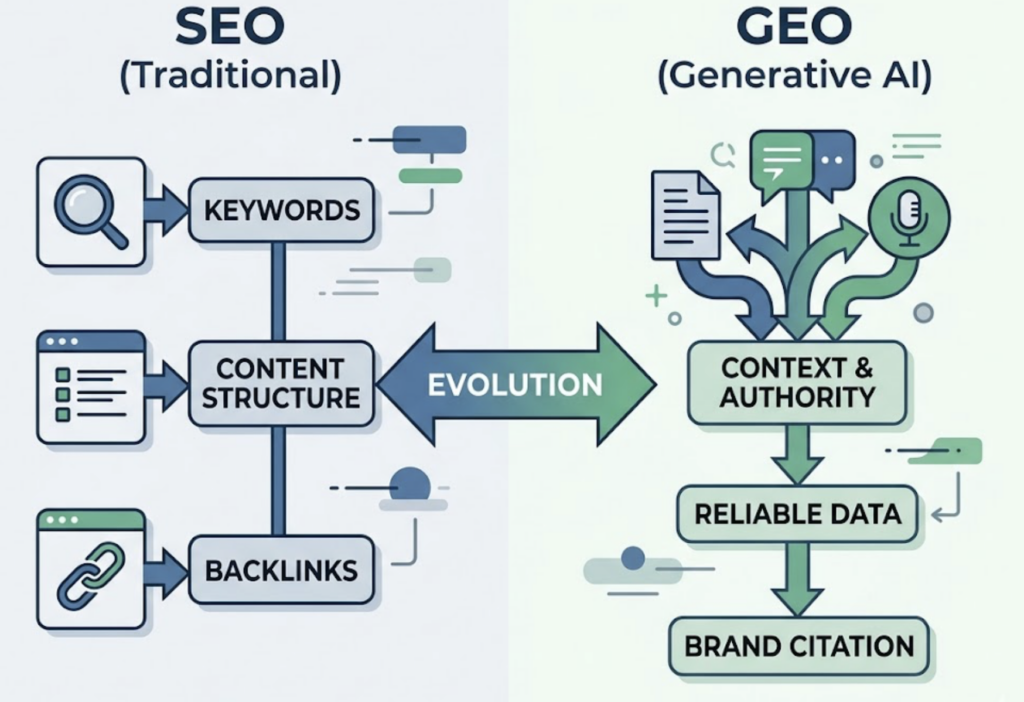
For a DevOps platform like Harness, the stakes are direct. If an engineer asks an AI assistant to recommend a CI/CD tool and Harness doesn’t surface prominently, that’s a discovery gap that no amount of traditional SEO fully compensates for. Harness Engineering has built a technically strong product. The question is whether AI platforms know it well enough to say so.
The shift is real, and it’s accelerating.
How Topify Tracks AI Visibility for DevOps and Engineering Brands
This is where measurement comes in.
Topify is an AI search optimization platform that tracks how brands appear across ChatGPT, Perplexity, Gemini, DeepSeek, and other major AI platforms. For a DevOps tool company — or any SaaS brand in a competitive technical category — it answers one specific question: when engineers ask AI assistants about your category, are you being recommended?
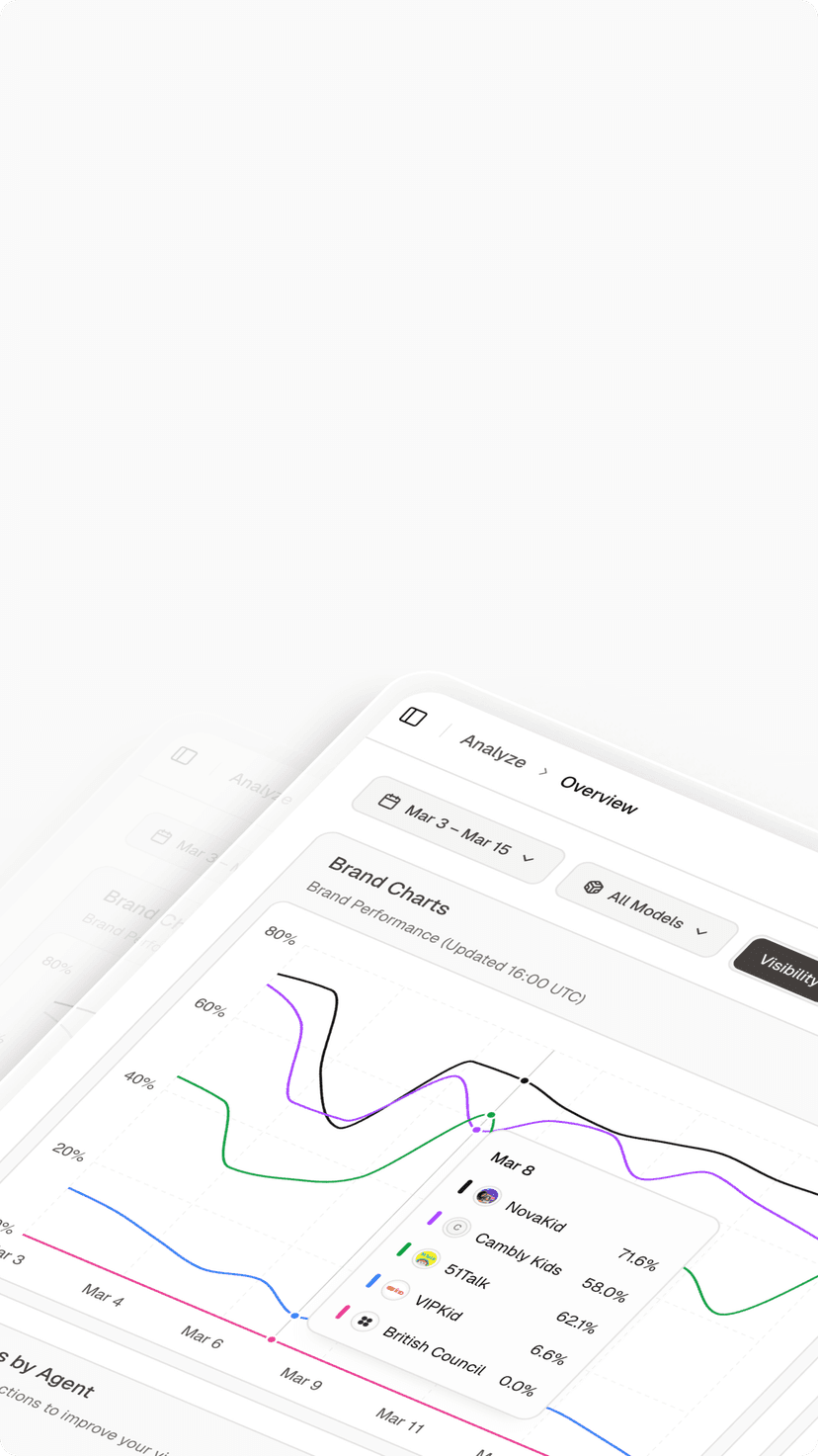
Topify measures this across seven metrics: Visibility (how often your brand appears in AI answers), Sentiment (how AI describes you), Position (where you rank relative to competitors), Volume (how many relevant prompts touch your category), Mentions, Intent, and CVR (Conversion Visibility Rate).
The Competitor Monitoring module is particularly relevant for DevOps platforms. You can track how often Harness, Jenkins, GitHub Actions, and ArgoCD appear in the same AI answers, and see where the gaps are. If Perplexity consistently surfaces a competitor first for “enterprise CI/CD for Kubernetes,” that’s a signal worth acting on — through content strategy, Source Analysis (identifying which domains AI platforms are citing), or targeted GEO optimization.
Also worth noting: tools like Claude SEO have already integrated Topify’s monitoring API to provide marketers with a full loop from content generation to AI citation tracking, measuring Share of Voice and Citation Rate in real time. That closed loop — generate, publish, measure AI visibility — is where the GEO discipline is heading.
Topify’s Basic plan starts at $99/month and covers 100 prompts across ChatGPT, Perplexity, and AI Overviews. The Pro plan at $199/month scales to 250 prompts and 10 seats — a practical starting point for a DevOps marketing team tracking 3–5 competing tools. Get started with Topify to see where your brand currently stands in AI answers.
Conclusion
Harness solves a real and specific problem: the operational cost of complex, multi-environment software delivery. Its strength lies in the combination of Continuous Verification, automated rollbacks, and a unified interface across the full delivery lifecycle. It’s not the right tool for every team — a small startup on GitHub Actions doesn’t need it. But for engineering organizations that have outgrown Jenkins or need governance and verification across multiple clouds, it’s worth a serious evaluation.
The parallel trend is how teams discover tools like Harness in the first place. As AI assistants become the default starting point for engineering research, visibility in AI-generated answers is becoming as important as traditional SEO. For DevOps platforms competing in a crowded category, understanding and optimizing for AEO and GEO isn’t a future concern. It’s a present one.
Track it. Optimize it. Stay visible.
FAQ
Q: What is Harness used for in DevOps?
A: Harness is a software delivery platform covering CI, CD, feature flags, and cloud cost management. It’s designed to replace fragmented, manually maintained deployment pipelines with automated, verifiable delivery workflows that can roll back automatically on failure — without requiring a human to intervene.
Q: How is Harness different from Jenkins?
A: Jenkins is primarily a CI tool that relies on plugins and custom scripting to handle CD workflows. Harness includes automated canary and blue-green deployments, ML-based rollback triggers through Continuous Verification, and built-in cloud cost visibility — none of which are native to Jenkins. Harness also has a visual Pipeline Studio, which reduces the scripting overhead that Jenkins typically requires.
Q: What is AEO and why does it matter for DevOps tools?
A: AEO stands for Answer Engine Optimization. It’s the practice of optimizing how your brand appears in AI-generated answers from platforms like ChatGPT and Perplexity. For DevOps tools, it matters because engineers increasingly use AI assistants to research and compare tools before making adoption decisions. If your product doesn’t appear in those answers, you’re losing discovery before the conversation even starts.
Q: How can a DevOps platform improve its AI search visibility?
A: Start with measurement. Tools like Topify track how often your brand appears in AI answers for relevant prompts (such as “best CI/CD tool for Kubernetes”), what sentiment AI platforms associate with your product, and which domains they’re citing as sources. From there, you can identify content gaps, build more authoritative sources in the right categories, and track whether your GEO efforts are moving the needle.