
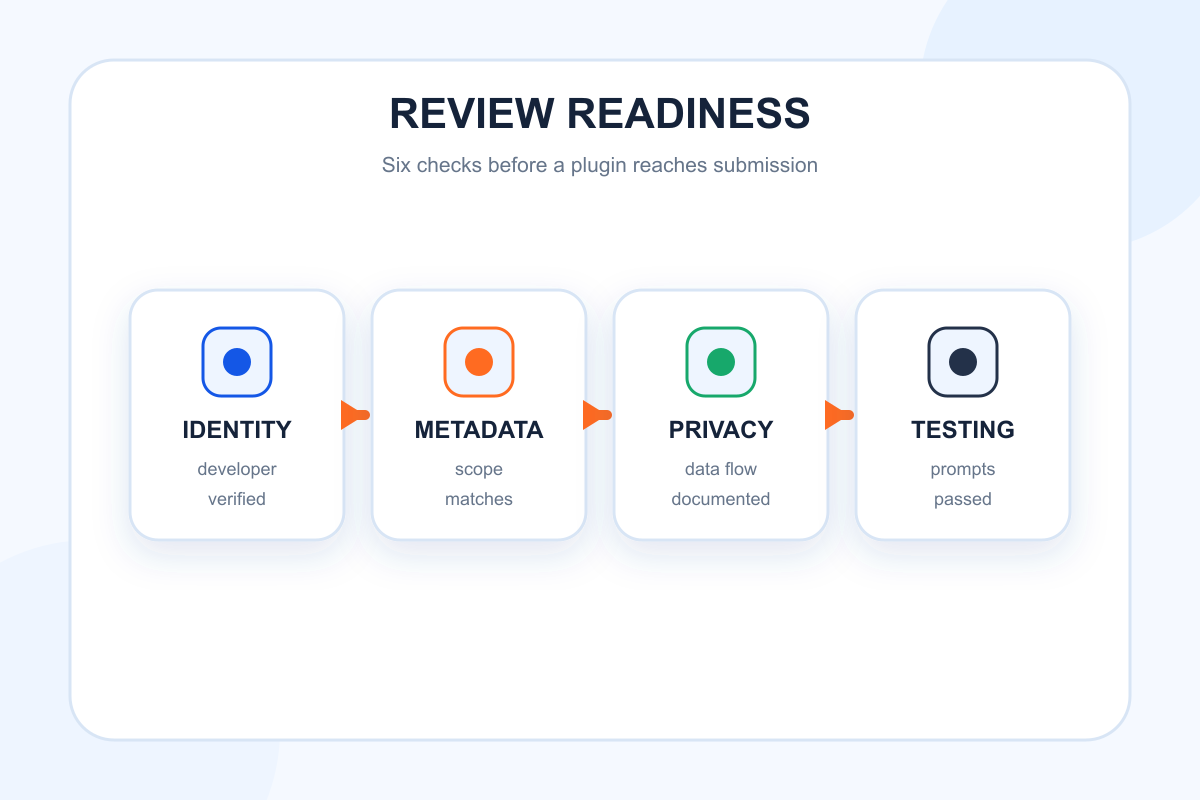
Plugin review problems rarely begin on the submission screen. They begin earlier, when the product team cannot explain a tool’s scope, privacy owners discover missing disclosures, or test accounts fail in the reviewer environment. A useful ChatGPT plugin submission checklist therefore covers the complete review path: identity, metadata, connectivity, permissions, user interface, test evidence, and support. OpenAI’s requirements will continue to evolve, so the final authority is always the current submission documentation. This guide organizes the work into a practical sequence teams can complete before they press submit.
Confirm the Plugin Has a Reviewable Scope
Start by defining the plugin’s core job, target user, supported actions, and explicit limits. Reviewers should not have to reverse-engineer the product from a set of broad tools. Each capability must be reachable, functional, and consistent with the listing.
OpenAI’s guidance on great ChatGPT apps recommends focused capabilities and a clear “know, do, show” model. Use that framing to document:
- What information the plugin can retrieve.
- What actions it can perform.
- What interface elements it displays.
- What data or action it cannot support.
- Which features require authentication or paid access.
Remove abandoned experiments and duplicate tools from the review build. A smaller set of reliable actions is easier to test and easier to explain than a broad set of partially supported features.
Complete Every Required Listing Field
OpenAI’s current submission documentation lists required and optional fields. At the time of writing, the display name is limited to 30 characters, the short description to 30 characters, and the long description to 4,000 characters. Developer name can use up to 80 characters. The category is required, and capability entries are required for Codex, with a current limit of 20 capabilities and 120 characters each.
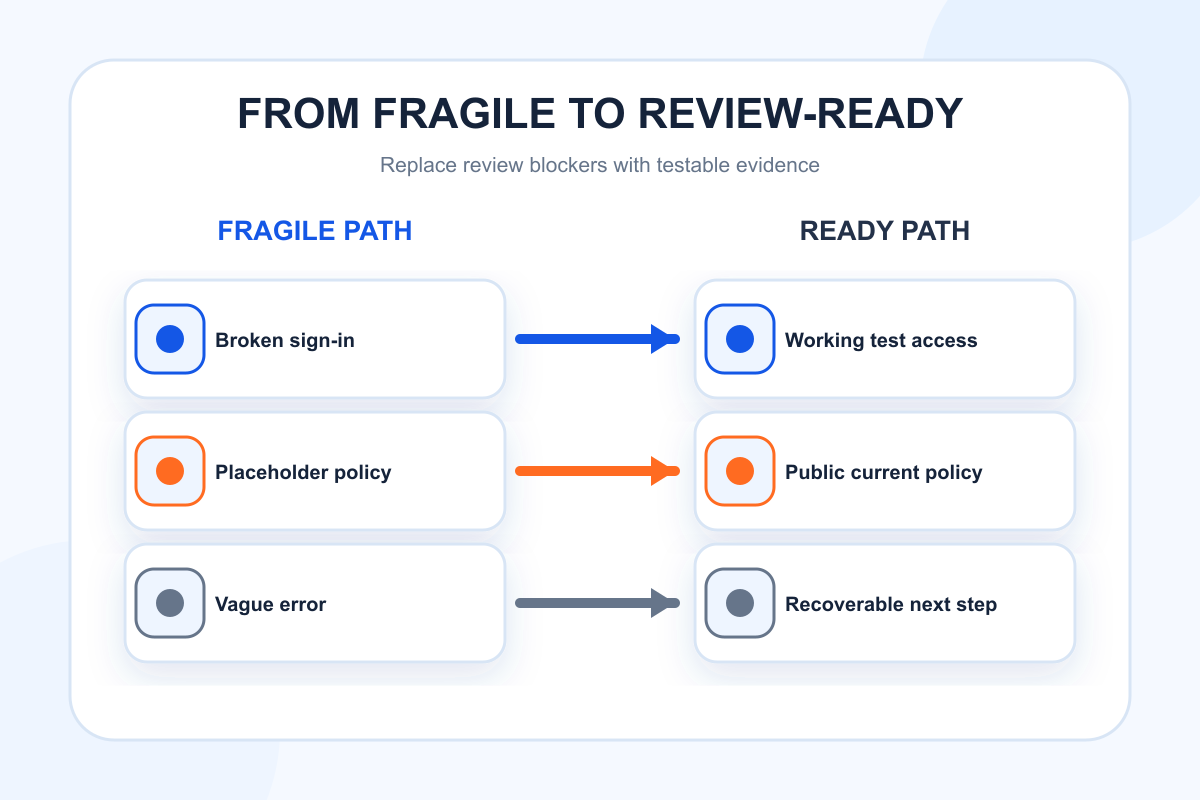
Required website, support, privacy policy, and terms of service URLs should be public, secure, and consistent with the submitting organization. Do not send reviewers to placeholder pages, gated documents, or policies that describe a different product.
| Submission area | Pre-review check | Evidence to retain |
|---|---|---|
| Identity | Names match the legal or public developer | Corporate site and account record |
| Description | Claims match working capabilities | Feature-to-tool mapping |
| Category | Primary use case fits the category | One-sentence rationale |
| Capabilities | Each item maps to a live action | Capability test result |
| URLs | Pages load publicly over HTTPS | Timestamped URL check |
| Default prompts | Prompts complete a real first task | Successful test transcript |
| Brand assets | Logo and screenshots meet current rules | Source asset files |
Default prompts are optional, with up to three prompts and a current maximum of 128 characters each. Choose prompts that produce a useful result with minimal setup. Avoid vague examples such as “Get started.” A prompt like “Compare our AI citation share with three competitors” communicates both the action and expected input.
Verify Connectivity and Authentication
A reviewer must be able to reach the plugin’s MCP endpoint and complete the intended flow. Test the exact production configuration, not only a local environment. Confirm DNS, TLS, redirects, timeouts, and error handling.
If authentication is required, provide a stable test path and follow the current review instructions. Verify sign-in, sign-out, expired sessions, insufficient permissions, and account switching. The interface should state what access is requested and why it is needed before a user commits.
Test a new account with no existing data. Teams often validate only a mature internal account, then discover that the empty state blocks a reviewer. Also test a restricted or free account if the listing claims that the plugin works without a paid plan.
For every failure state, return a useful message. “Something went wrong” does not help a reviewer determine whether the endpoint, account, input, or service is at fault. Explain the recoverable next step without exposing infrastructure details.
Align Privacy Claims With Actual Data Flow
Privacy review begins with a data-flow inventory. List the information received from the user or model, the systems it reaches, how long it is retained, and whether a third party processes it. Then compare that inventory with the public privacy policy and in-product disclosures.
Confirm that the plugin requests only the scopes needed for the documented actions. Separate read and write permissions when possible. Make sensitive actions explicit and reversible where practical. If a user can delete or disconnect data, test that flow before submission.
The privacy policy URL should name the responsible organization and explain collection, use, sharing, retention, security, and contact paths in language that applies to the plugin. The terms should describe the actual service. Legal review is appropriate when a plugin handles regulated data, payments, employment decisions, health information, or other high-risk use cases.
Do not treat a policy link as a substitute for product design. Contextual permission copy, confirmation states, and visible action summaries help a user understand what will happen at the moment it matters.
Test Tool Selection and Action Safety
Create a golden prompt set before review. Include direct requests, indirect requests, and negative prompts that contain similar vocabulary but should not invoke the plugin. OpenAI’s metadata optimization guide recommends this pattern to evaluate recall and precision.
For each positive prompt, verify:
- The intended tool is selected.
- Required parameters are gathered correctly.
- Authentication appears at the right time.
- The action result is accurate and understandable.
- The user can recover from an error.
For each negative prompt, verify that the plugin stays out of the flow. For write, purchase, communication, or deletion actions, also test confirmation and cancellation. Record expected and actual outcomes so the evidence can be rerun after any late change.
Review Interface and Brand Assets
OpenAI’s plugin UI guidance emphasizes clear, accessible interfaces and recommends using cards, carousels, or fullscreen experiences only when they improve the task. A custom interface should not duplicate information already clear in the conversation.
Check keyboard navigation, focus order, color contrast, labels, loading states, error messages, and responsive behavior. Test long values and empty values. Ensure buttons use action language and that destructive actions are visually distinct.
Review the logo at small sizes and on light and dark surfaces. Screenshots should represent current functionality, not a conceptual future version. Keep promotional claims out of functional UI. If brandColor is submitted, verify that text and controls remain readable when it is applied.
Run a Pre-Submission Review Rehearsal
Assign someone who did not build the plugin to follow the listing and default prompts from a clean account. The person should attempt each advertised capability, inspect the URLs, exercise permissions, and note any assumption the product makes.
Use a release candidate and freeze nonessential changes during the rehearsal. Confirm that production logging can identify endpoint failures without recording unnecessary sensitive content. Prepare a concise review note with the plugin’s job, authentication steps, test account details if required, and any non-obvious setup.
The rehearsal should end with a go or no-go decision. A missing screenshot can be fixed quickly. A policy mismatch, unsafe action, or unreliable core tool should stop submission until corrected.
Prepare for Post-Launch Discovery and Support
Approval is the start of an operating cycle. Assign an owner for support messages, incident response, metadata changes, and directory updates. Watch installation, first-action success, repeat use, tool errors, and golden-prompt results.
Topify can help the team monitor the broader language people use around the category through Prompt Discovery and examine external brand citations through AI Citation Analysis. Those signals can suggest new listing language or test prompts. Plugin logs remain the authoritative source for invocation and execution.
When a capability changes, update the listing, policies, screenshots, tests, and support documentation together. Inconsistent surfaces erode trust and can create review risk during a future update.
Conclusion
A strong ChatGPT plugin submission is evidence that the product, metadata, permissions, and public promises all describe the same working experience. Define a narrow scope, complete every field accurately, test production authentication, map real data flows, rehearse the review, and prepare a post-launch owner. Before submitting, compare every item with OpenAI’s current documentation because field limits and review requirements can change.
FAQ
What should be completed before submitting a ChatGPT plugin?
Complete the production endpoint, listing metadata, required public URLs, privacy and terms, authentication path, test suite, UI assets, and reviewer instructions.
Are default prompts required?
They are optional in the current submission documentation, but well-designed prompts can improve first-use activation and make the core capability easier to review.
Should a test account be prepared for review?
Prepare one when current review instructions require access to authenticated or gated functionality. It should be stable, minimally privileged, and representative of the advertised experience.
Can a team submit while some advertised tools are incomplete?
It should not. Listing claims and capability entries should map to working, testable functionality in the submitted production build.