

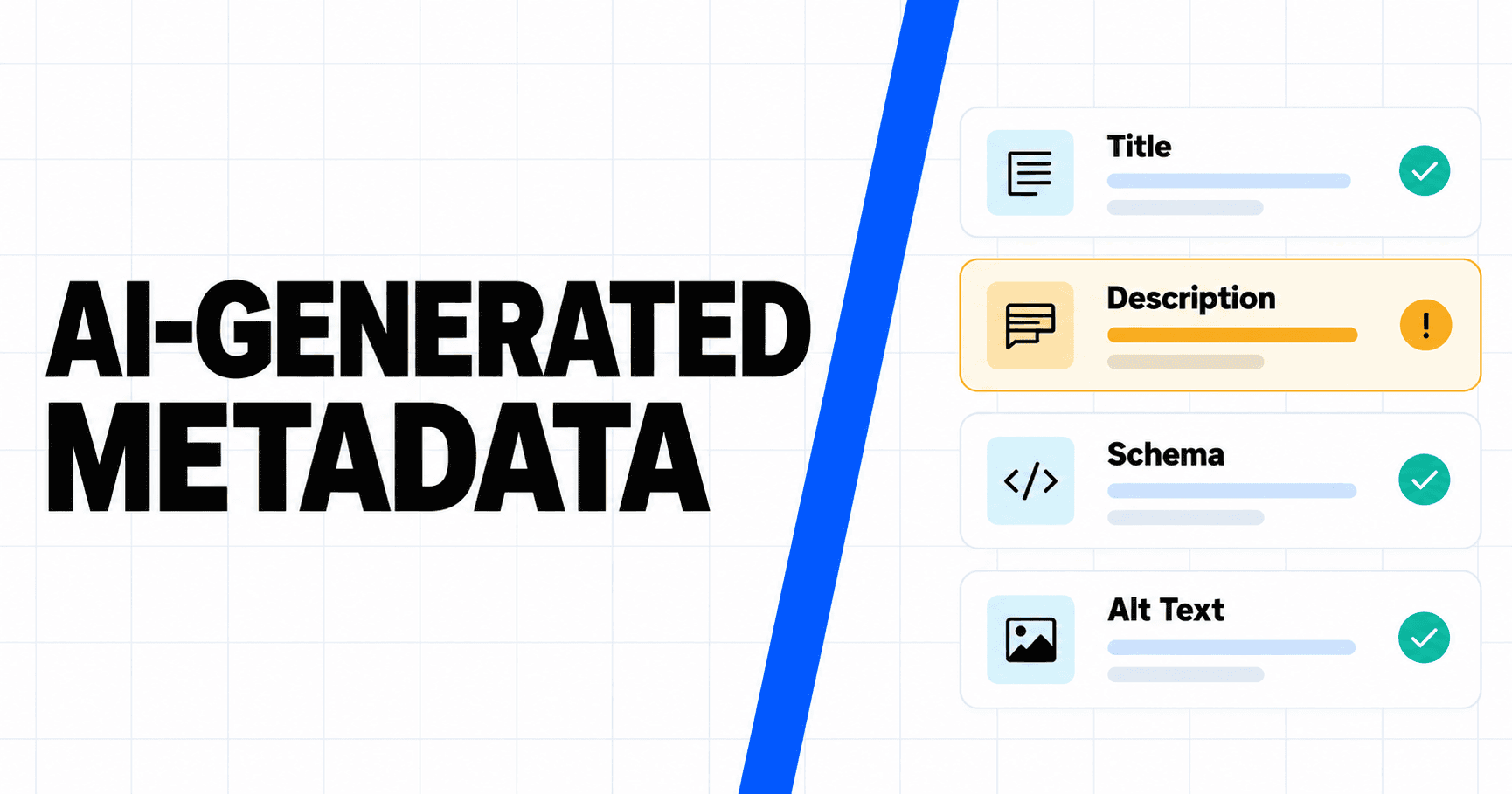
A technical SEO approves an article after checking every source, then discovers that the generated title promises “free unlimited access.” The page never makes that claim. Its schema lists an old offer, and the alt text names a product that is not visible in the image.
None of those errors appeared during the copy review because they lived in secondary fields. Yet search systems, social platforms, assistive technologies, and commerce feeds may encounter those fields before they process the full page. AI-generated metadata needs its own audit, one that checks factual support, page consistency, accessibility, and destination-specific rules before release.
AI-Generated Metadata Can Publish a Different Story Than the Page
Metadata often sits downstream from the approved draft. A content management system, plugin, template, or model creates a title, description, schema block, image label, and social preview after the editor has finished reviewing the body.
This division creates semantic drift. The body says “supports up to 50 projects,” while the generated description says “unlimited projects.” The visible price changes, but the JSON-LD still publishes the old amount. A decorative illustration receives alt text that invents a dashboard result.
Google’s current generative AI content guidance specifically extends manual review to title elements, meta descriptions, structured data, and alt text. That is a useful operational rule: no generated field inherits approval from the body automatically.
Create one canonical fact sheet for volatile claims. Product names, prices, limits, eligibility, dates, geographic availability, and legal wording should come from controlled fields rather than being re-inferred by a model each time.

Audit Titles and Descriptions for Supported Claims
Titles and descriptions compress a page into a small space, which makes unsupported certainty tempting. Models often remove qualifiers, choose promotional verbs, and turn a conditional benefit into a promise.
Review these fields against the rendered page, not only the prompt that produced them. Every number, availability statement, comparison, and superlative needs visible support.
Use four checks:
- Identity: Does the field name the correct product, company, version, and content type?
- Claim support: Can a reader find evidence for each specific benefit or limit on the page?
- Intent match: Does the title describe the task the page actually resolves?
- Freshness: Could a date, price, or platform reference have changed since generation?
A meta description is not a place to add facts that the page forgot. Search engines may rewrite descriptions, but that does not reduce your responsibility for the version you supply.
Avoid optimizing only for character count. A short, inaccurate promise is worse than a slightly plainer description that matches the evidence.
Validate Structured Data Against Visible Content
Structured data has two independent failure modes: syntax and truth. A validator can detect missing commas or unsupported properties, but it cannot reliably decide whether the markup misrepresents the page.
Google’s general structured data guidelines require markup to be relevant, current, and representative of visible content. They also state that valid markup does not guarantee a rich result.
Run the audit in this order:
- compare entity names, offers, dates, ratings, authors, and availability with the visible page;
- confirm that required properties are present and use the most specific appropriate type;
- validate syntax with the relevant tool;
- inspect the rendered HTML and network output, not only the CMS input;
- verify that the page and referenced images are crawlable and indexable;
- assign an owner and refresh trigger for volatile fields.
Generated schema should use controlled facts whenever possible. Let the model select language or map a well-defined field only after the source of truth is fixed.
Do not mark up hidden testimonials, invented reviews, or a summary rating that does not reflect visible reviews. A technically clean block can still violate quality guidelines.
Review Alt Text for Accuracy and Accessibility
Alt text should communicate the image’s purpose in context. It is not a second meta description and not a place to insert every target keyword.
Start by deciding whether the image is informative or decorative. Decorative images should generally use empty alt text so assistive technology can skip them. Informative images need a concise description of what a person must understand when the pixels are unavailable.
Generated alt text often fails in three ways:
- it hallucinates text, people, products, or chart values;
- it describes visual style while missing the editorial meaning;
- it repeats the caption or nearby paragraph without adding access.
For charts, explain the trend or conclusion that the image communicates. For screenshots, identify the relevant interface state rather than listing every visible control. For conceptual illustrations, say that the image is an illustration when realism could imply an actual event or product screen.
Review alt text alongside the final image, after cropping and replacement. A correct description of the source asset may become wrong when the CMS uses a different crop.
Apply Extra Rules to AI-Generated Product Assets
Commerce metadata can affect a purchase decision, so destination rules deserve a separate gate. Google Merchant Center’s AI-generated content policy requires generative AI images to contain the appropriate IPTC DigitalSourceTypemetadata.
AI-generated titles and descriptions in Merchant Center require structured title and structured description attributes with a digital source type. A normal title field cannot silently carry the generated value as though its origin were unknown.
| Field or asset | Automated check | Human check | Release blocker |
|---|---|---|---|
| HTML title | Length, duplication, missing field | Product identity, support for claims, intent fit | Wrong product, invented benefit, stale limit |
| Meta description | Length, empty field, duplicate text | Evidence, qualification, reader value | Unsupported price or outcome |
| Structured data | Syntax, required properties, crawlability | Visible-page fidelity, current offer, real reviews | Misleading or stale markup |
| Image alt text | Empty-field rules, duplication | Accuracy, purpose, accessible context | Hallucinated content or inaccessible meaning |
| Product image metadata | IPTC presence after processing | Correct source type and asset identity | Provenance stripped or mislabeled |
| Product feed title and description | Required structured fields | Accuracy against current catalog | Unlabeled generated data or wrong specification |
Test the final delivered file, not only the original. Image processors, design exports, and CDNs can remove embedded metadata. Preserve the source asset and compare it with the production version.
Automate Checks Without Automating Judgment
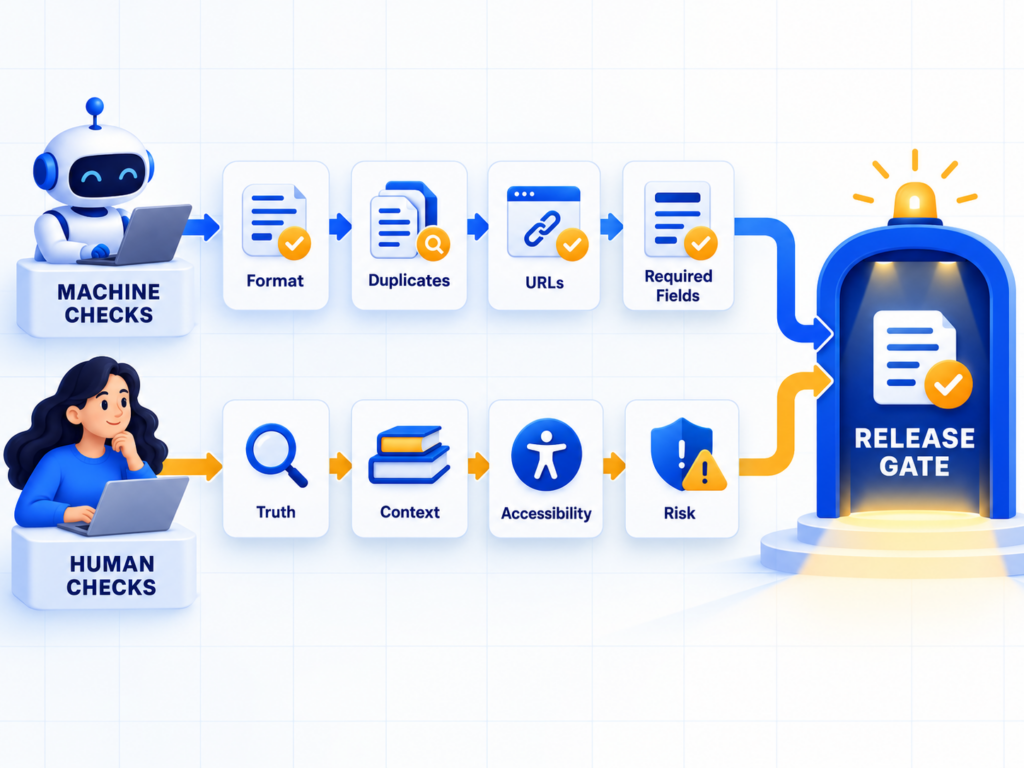
Automation is effective at finding missing fields, invalid formats, duplicates, broken URLs, mismatched identifiers, and values outside a controlled list. It is weaker at deciding whether a claim is fair, whether alt text communicates the image’s purpose, or whether a comparison hides an important limitation.
Split the workflow accordingly. Machines enforce deterministic rules. Editors evaluate meaning and evidence. Subject-matter owners approve consequential or volatile claims.
A release pipeline might run linting and schema validation on every page, then sample low-risk descriptions for human review. It should route any price, regulated term, performance claim, synthetic media asset, or unknown entity to mandatory approval.
Do not ask a second model to approve the first model’s unsupported statement without evidence. Agreement between generated outputs is not verification.
Keep reviewer actions visible. A checkbox saying “human reviewed” is weak unless it records who reviewed which fields against which source and when.
Monitor Entity Drift After the Page Is Indexed
A correct release can become stale. Product limits change, authors move roles, offers expire, and external systems keep earlier descriptions.
Create event-triggered reviews for pricing changes, launches, renames, acquisitions, discontinued features, new markets, and policy updates. Revalidate both visible content and machine-readable fields after each event.
Topify offers public tools that can support the downstream observation layer. The Brand Profile Checker shows how selected AI systems describe a brand’s positioning, while the Knowledge Freshness Checker focuses on whether current brand events are reflected. Treat the results as diagnostic observations, not proof that one metadata field caused a particular answer.
Compare what your page publishes with what search and answer systems repeat. When a stale fact persists, inspect crawlability, canonicalization, feeds, third-party sources, and refresh timing before rewriting the page blindly.
Conclusion
AI-generated metadata can contradict an otherwise well-researched page because it is often produced after copy approval and outside the editor’s view. The solution is a dedicated audit, not a stronger prompt alone.
Check titles and descriptions for supported claims, validate schema for both syntax and visible-page truth, review alt text against the final image, and apply destination-specific provenance rules to product assets. Automate deterministic tests, but keep evidence, accessibility, and risk decisions with accountable people. Then monitor for entity drift as facts change. Metadata is small in size, but it can become the first and most reusable version of your content that another system sees.
FAQ
Can AI write meta descriptions safely?
AI can draft them, but a reviewer should verify every claim, qualifier, product reference, and time-sensitive fact against the page. A generated description should not introduce facts the visible page does not support.
How do you validate AI-generated schema?
First compare it with visible content and current source data. Then run syntax and eligibility tools, inspect the production HTML, confirm crawlability, and monitor Search Console after deployment.
Is AI-generated alt text accessible?
It can be, but only when it accurately communicates the final image’s purpose in context. Models may invent details or produce keyword-heavy descriptions, so human review remains necessary.
What metadata should always receive human review?
Review fields containing prices, limits, legal or medical claims, comparisons, ratings, synthetic-media provenance, product availability, and any statement that could materially affect a decision.