

A publisher wants its reporting and product guides to remain discoverable in Google, but legal and editorial teams disagree about how much of the content should appear inside generated answers. One proposal blocks Google-Extended. Another adds nosnippet. A third turns off Google’s generative AI Search setting. The three actions sound similar because they all involve AI, yet they control different systems and create different visibility trade-offs.
AI search content controls should begin with a precise decision: are you managing Google Search eligibility, the amount of page text that can appear in a search response, participation in generative Search features, or use by other Google AI products? Choosing a directive before defining that outcome can remove valuable discovery without solving the policy concern.
Google’s Generative AI Setting Controls Participation in AI Search Features
Google announced a new Search Console control in June 2026 that lets site owners decide whether their sites can appear in and help ground generative AI Search features. The company named AI Overviews, AI Mode, and AI Overviews in Discover as affected experiences. Google later stated that the control was rolled out worldwide on August 31, 2026.
Turning the setting off means the site will not receive traffic or impressions from those generative features. Google says the choice is not used as a ranking signal for Search results outside the affected generative experiences.
That boundary matters. The control is not presented as a site-wide removal from ordinary Google Search. It is a participation decision for Google’s generative Search surfaces.
Before changing it, record the current state, the property scope, the decision owner, and the reason. A global toggle can affect editorial, product, support, and commerce pages at once. Teams should not treat it as a casual SEO experiment.
Eligibility Requires Both Search Access and Generative Participation
Google’s generative AI optimization guide describes two basic eligibility layers. A page must be indexed and eligible to appear in Google Search with a snippet, and the site must be included in generative AI features through Search Console.
Meeting both conditions does not guarantee selection. Google still applies its core ranking and quality systems, retrieval-augmented generation, and query fan-out to find supporting pages. The control decides whether participation is allowed, not whether a page will be cited.
The distinction creates four practical states:
| Search state | Generative AI setting | Likely outcome | Main trade-off |
|---|---|---|---|
| Indexed and snippet-eligible | Included | Eligible for ordinary Search and supported generative features | More discovery with less control over where snippets appear |
| Indexed and snippet-eligible | Excluded | Ordinary Search may remain available; generative participation is removed | Loss of generative impressions and traffic |
Indexed but nosnippet | Included | Page may appear as a link, but snippet-based use is heavily limited | Reduced preview and generative eligibility |
noindex or inaccessible | Either state | Page should not participate as an indexed Search result | Maximum discovery loss |
Do not read the table as a guarantee for every page or interface. It is a decision model based on Google’s documented boundaries, and implementation should be verified in Search Console.
Snippet Controls Limit What Google Can Show From a Page
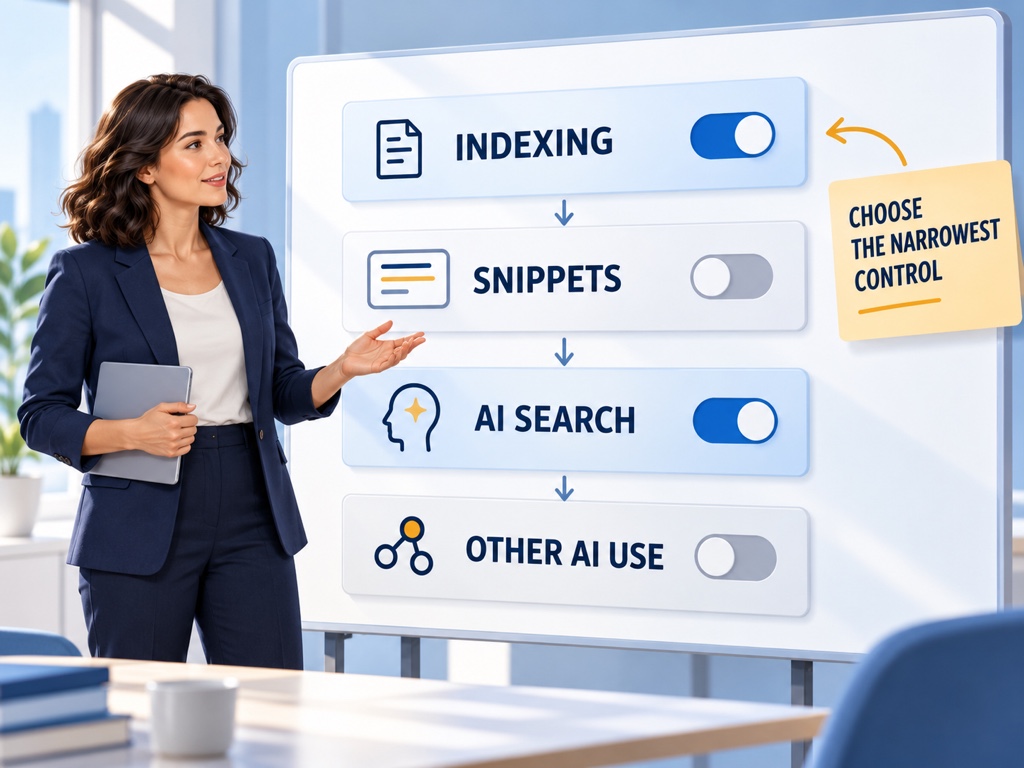
Google documents four relevant page-level controls: nosnippet, max-snippet, data-nosnippet, and noindex. They solve different problems.
nosnippet prevents Google from showing a text snippet for the page. Because Google’s generative Search eligibility requires a page to be eligible for a snippet, this can also limit participation in AI Overviews and AI Mode.
max-snippet:[number] sets a maximum text length for snippets. A lower value reduces the amount of page content available for display, but Google does not promise that a particular value will create a predictable AI response outcome.
data-nosnippet excludes marked portions of an HTML page from snippets while allowing other content to remain available. It is useful when a page mixes public explanatory material with licensed excerpts, user-generated text, or data that should not be reproduced in previews.
noindex asks Google not to include the page in its index. It is the broadest of the four and should not be used when the objective is merely to limit generated text while preserving search discovery.
Google’s snippet documentation also explains that controls must be visible to Googlebot. Blocking a page in robots.txt can prevent the crawler from reading a noindex or snippet directive, producing a configuration that does not behave as expected.
Google-Extended Does Not Control Google Search
Google-Extended is a standalone robots.txt product token. Google says it controls whether crawled content may be used for training future Gemini models and for grounding in Gemini Apps and Grounding with Google Search on Vertex AI. It does not affect inclusion in Google Search and is not a Google Search ranking signal.
This means blocking Google-Extended is not the documented method for leaving AI Overviews or AI Mode. Those experiences are part of Google Search and use the Search index. The newer Search Console setting controls participation in generative Search features.
Google-Extended also does not send a separate crawler user-agent string. Existing Google crawlers retrieve the content, while the token acts as a usage control. Server-log analysis alone therefore cannot be used to identify a distinct Google-Extended crawl stream.
The safe policy rule is simple: document Google Search participation and Google-Extended usage as separate decisions, even when the same governance committee owns both.
Choose the Narrowest Control That Matches the Policy Goal
Start with the content class, not the directive. Public product information, licensed journalism, subscriber material, personal data, user posts, legal documents, and support pages often require different policies.
Use a decision sequence:
- Define the protected material. Identify pages, sections, fields, or excerpts rather than saying “AI content.”
- Define the unwanted action. Separate indexing, preview display, generative Search grounding, non-Search AI grounding, and training.
- Choose the narrowest supported control. Prefer a page section control over a page block, and a product-specific control over a global block, when it satisfies the requirement.
- Model discovery loss. Identify the impressions, clicks, subscriptions, leads, or support deflection that may disappear.
- Test and monitor. Confirm the directive is crawlable, wait for reprocessing, and verify the affected reports.
This process prevents a common mistake: using noindex to solve a licensing concern limited to one paragraph, or blocking Google-Extended to solve a concern about AI Mode.
Run a Measured Experiment Before a Site-Wide Change
Some controls operate globally, but the decision can still be prepared with evidence. Build a baseline for generative Search impressions, cited pages, countries, qualified visits, conversions, and subscription or lead outcomes before changing participation.
Segment pages by business role. A documentation library may receive few direct conversions but influence implementation confidence. A publisher’s current reporting may create subscriptions through prominent previews. A support site may reduce ticket volume when users receive an accurate answer before visiting.
If page-level controls can meet the policy objective, test them on a bounded section. Record when Google recrawls the pages and when reporting changes. Google cautions that recrawling and processing can take from several days to months depending on the page.
Do not interpret the first quiet day as a finished result.

Measure the Cost Across Visibility, Traffic, and User Outcomes
The cost of a content control appears in several places. Search Console can show changes in generative impressions and cited pages. Analytics can show sessions and conversions. Subscriber, lead, support, or commerce systems can show the downstream outcome.
Add an answer-level check. A site can disappear from direct citations while its brand remains mentioned through third-party sources. Conversely, the domain may remain visible as a link while the answer no longer includes enough context to influence a decision.
Topify can provide a controlled prompt-monitoring layer around the change. Freeze a relevant set of prompts, record brand mentions, recommendations, positions, and sources before the control is changed, then repeat the observation after Google has processed it. The sample does not replace first-party Search Console data. It helps show what changed inside representative answers.
Use three labels in the report: observed, inferred, and unknown. “Generative impressions fell after exclusion” is observed. “The exclusion caused fewer assisted conversions” may be inferred if several systems move together. “Google used a specific paragraph before the change” may remain unknown.
Create a Control Registry and Review It Quarterly
AI content controls can become invisible technical debt. A directive added for a temporary negotiation may remain after the contract changes. A global robots rule may outlive the team that approved it.
Maintain a registry with the property, path, directive, affected system, owner, approval date, reason, test result, and review date. Include screenshots or exported evidence of the Search Console setting and retain the previous configuration.
Review the registry quarterly and after major platform documentation changes. Google Search controls, Gemini product controls, crawler tokens, and reporting surfaces can evolve independently. Revalidate the policy against current official documentation rather than assuming the original behavior is permanent.
Conclusion
Google’s generative AI setting, snippet controls, noindex, and Google-Extended do not provide four versions of the same switch. They govern different layers: participation in generative Search, the amount of page content shown in previews, index eligibility, and use by selected non-Search Google AI products.
Define the outcome before selecting the control. Then choose the narrowest supported mechanism, baseline the visibility and business value at risk, and verify the result after Google reprocesses the change. A responsible policy can protect specific material without treating all AI discovery as one undifferentiated problem. The wrong directive can remove a site from the exact decisions it still wants to influence.
FAQ
What does Google’s generative AI Search setting control?
It controls whether a site can appear in and help ground supported generative Google Search features, including AI Overviews, AI Mode, and AI Overviews in Discover.
Does blocking Google-Extended remove a site from AI Overviews?
No. Google states that Google-Extended does not affect Google Search. The Search Console generative AI setting and Search preview controls govern different outcomes.
Does nosnippet only remove the traditional search snippet?
No. Google requires snippet eligibility for participation in generative Search features, so nosnippet can also restrict how the page participates there.
How long does it take for a content-control change to work?
The control must be crawlable and processed after recrawling. Google says this can take from several days to several months depending on crawl frequency.