
You open G2, search “AEO tool,” and see a row of 4.6, 4.7, 4.8 stars. Every vendor looks confident. Every screenshot looks polished.
Here’s the thing: those scores tell you almost nothing about whether the tool actually works.
G2’s rating system was built to evaluate SaaS products where “good experience” and “good performance” largely overlap. For AEO tools, they don’t. The metrics that drive high scores on G2 — ease of use, onboarding smoothness, customer support speed — have almost no correlation with the technical capability that matters most: whether the data keeps up with how fast LLMs change.
This guide will show you how to read G2 AEO tool reviews like someone who’s been burned before.
Why G2 Scores for AEO Tools Are Structurally Misleading
G2’s satisfaction score is weighted heavily toward three dimensions: Ease of Use, Meets Requirements, and Quality of Support. All three are subjective experience metrics. None of them measure data freshness, sampling accuracy, or LLM engine coverage.
A tool can have a customer support team that responds in under two hours, an onboarding flow that takes 15 minutes, and a dashboard that looks like it belongs in a design award portfolio. It can also have data that’s four days stale. On G2, that tool scores 4.7.
What makes this worse is timing. Most G2 reviews are written within the first 30 to 60 days of use — the “honeymoon period,” when users are still impressed by the interface and haven’t yet tried to act on the data. The reviews that surface a tool’s real technical limits tend to come later, get fewer upvotes, and get buried.
A high G2 score tells you the onboarding was smooth. It doesn’t tell you if the data is current.
There’s also a structural advantage for legacy players. G2’s Market Presence score rewards company size, employee count, and social media activity. That means traditional SEO platforms with large sales teams and established brand recognition tend to sit in the “Leader” quadrant, even when their AEO features are bolted-on modules with no dedicated architecture underneath.
The “Cons” Section Is the Only Part Worth Reading
Users write marketing copy in the “Pros” section. They write the truth in the “Cons” section.
This isn’t cynicism — it’s a consistent pattern across thousands of software reviews. Positive reviews use phrases like “great for our team” or “easy to get started.” Negative reviews describe specific failures: “took three days to reflect our content update” or “results are completely different when I run the same query twice.”
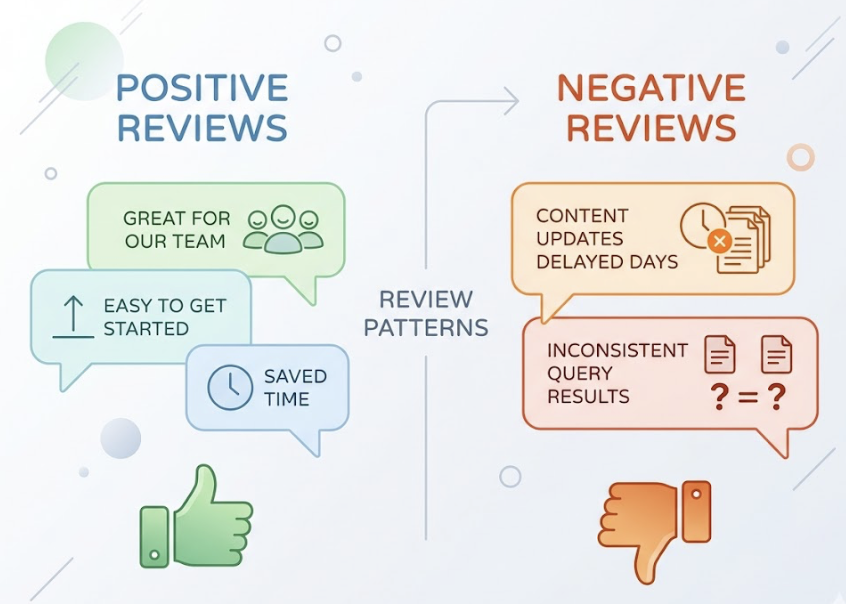
Three red-flag phrases appear consistently in G2 AEO tool reviews, and each one points to a specific underlying problem:
| Red Flag | What It Actually Means | Business Risk |
|---|---|---|
| “data delay” / “slow to update” | Crawl frequency is lower than LLM RAG update cycles | Brand misses real-time window to correct AI errors |
| “complex interface” / “steep learning curve” | Product was built for SEO, not AEO workflows | Teams abandon the tool or miss key AEO metrics buried in SEO dashboards |
| “results vary” / “accuracy inconsistency” | Unstable sampling strategy, no validation for non-deterministic outputs | Can’t establish a reliable visibility baseline; market share miscalculation |
When you see these phrases clustered in a tool’s cons section, you’re not looking at minor UX complaints. You’re looking at architectural problems.
What “Data Delay” Actually Costs You
In AEO tracking, stale data isn’t just inconvenient.
It leads to wrong decisions.
LLMs don’t update on a weekly schedule. The retrieval layer — the part most relevant to AEO optimization — updates daily or near-real-time. The RLHF layer, which directly influences how often a brand gets recommended, is continuously adjusted. Research indicates that after a single RLHF update to a model like GPT-4 or Gemini, a brand’s visibility can shift measurably within 72 hours.
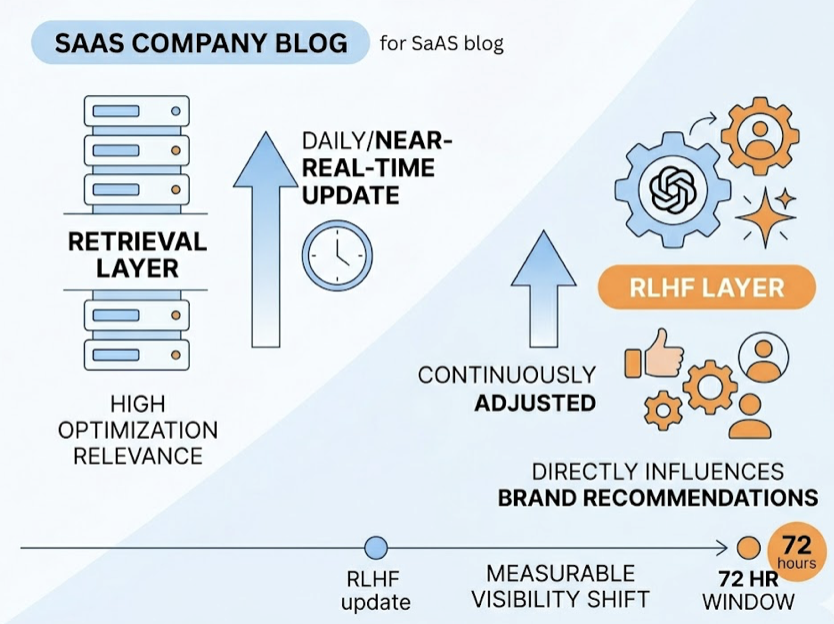
If your tracking tool refreshes data once a week, you’re looking at a seven-day lag in a market where the competitive landscape can shift in three. You might spend resources fixing a content problem that the model already resolved — or miss a new citation space a competitor just occupied.
The worst version of this is what practitioners sometimes call “archaeology data”: tools that rely on static API caches and present week-old snapshots as current performance. It’s a technical shortcut that saves the vendor compute costs and costs you accurate decisions.
Topify‘s Visibility Tracking uses real-time browser rendering rather than static caches, which means the platform captures actual AI responses as users experience them — not approximations from a database that hasn’t been touched since Tuesday.
“Interface Complexity” Is Usually a Product Definition Problem
When G2 reviewers say an AEO tool is “hard to navigate” or “overwhelming,” the common assumption is that it’s a UX issue. Usually it isn’t.
AEO and SEO are not the same workflow. Traditional SEO tools are designed around keyword rankings and click-through rates — the goal is to move users toward a web page. AEO’s core logic is different: you’re optimizing how AI synthesizes brand information into a generated answer. The success metric isn’t a ranking position. It’s citation influence.
When an SEO platform adds AEO as a feature module, users end up navigating a system designed for “blue-link search” while trying to find data about “zero-click citations.” The interface feels complex because the underlying architecture was never redesigned for the new task.
A practical test: search the reviews for phrases like “setup took” or “hard to configure.” If those phrases appear alongside descriptions of manually mapping citation sources or configuring custom crawl rules, the product is offloading its technical limitations onto the user. Good AEO-native tools handle that complexity automatically.
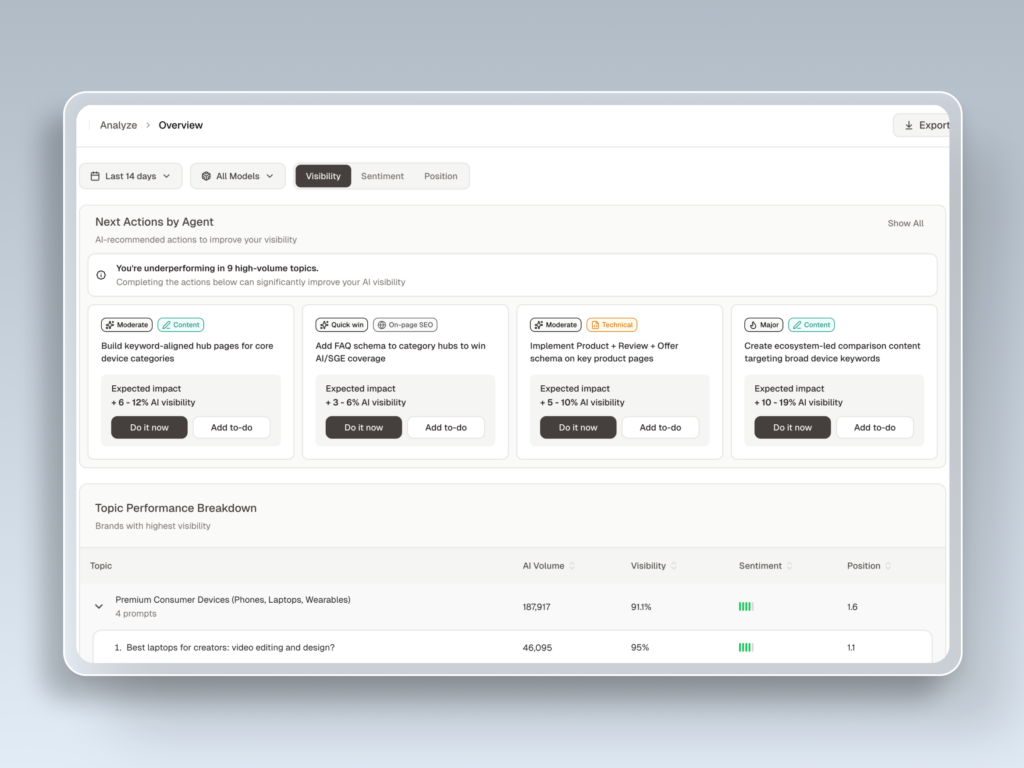
Topify’s One-Click Execution is an example of the other approach: you define the goal in plain English, the AI agent builds and deploys the strategy. The interface complexity disappears because the system was designed around how AEO workflows actually run.
How to Read a G2 AEO Tool Review in Under 3 Minutes
Here’s a practical framework. It filters out about 90% of the noise.
Step 1 — Go straight to the cons (first 30 seconds). Skip all 5-star reviews. Sort by lowest rating. Look for whether negative reviews cluster around data accuracy or delays, not just feature requests.
Step 2 — Run three keyword searches (30 seconds). Use Ctrl+F in the review section. Search: delay, accuracy, update. If these terms appear repeatedly in negative reviews, the product has a reliability problem at the infrastructure level.
Step 3 — Check the review dates (30 seconds). In the AEO space, six months is a long time. A glowing review written before GPT-4o or Gemini 1.5 launched may reflect a tool that no longer functions the same way. Prioritize reviews from the last 90 days for anything related to technical performance.
Step 4 — Look at reviewer job titles (30 seconds). Operations managers and data analysts write reviews based on what breaks during actual configuration. Marketing coordinators write reviews based on whether the dashboard looks good. The former is more useful.
Step 5 — Filter for verified purchasers (30 seconds). Unverified reviews are easy to game. Short reviews with high ratings and no specific details should be discounted regardless of score.
What G2 Reviews Won’t Tell You (And Where to Fill the Gap)
G2 reviews have a structural blind spot: they can’t capture what users don’t know to ask about.
Most buyers don’t interrogate a tool’s sampling methodology. They don’t check whether the platform uses distributed browser rendering or a single-IP API call. They don’t ask whether the tool distinguishes between a brand “mention” and a genuine AI “recommendation” — which are meaningfully different signals for optimization decisions.
Platform coverage depth is another gap. A vendor’s G2 page might list “ChatGPT, Gemini, Perplexity” as supported engines. The fine print, which rarely appears in reviews, is whether those integrations rely on the public API (which gives you a limited, non-representative sample) or actual simulated user queries across regional nodes.
For Perplexity specifically, BrandMentions offers granular tracking of how brands appear in Perplexity’s real-time search layer, including whether those mentions convert into meaningful referral traffic. That kind of engine-specific depth complements a full-platform tracker and fills the gaps that G2 reviews systematically miss.
Before committing to any tool, request the technical documentation. Look specifically for answers to: What is the data refresh interval? Is data sourced from real-time browser rendering or static API caches? How many query samples are run per prompt per engine?
If a vendor can’t answer those questions directly, the G2 score doesn’t matter.
Topify on G2: What the Real Feedback Shows
Topify is an AI-native AEO platform built by former OpenAI researchers and Google SEO practitioners. Its G2 feedback reflects the difference in approach.
Users consistently highlight the platform’s multi-engine coverage — real simultaneous monitoring across ChatGPT, Gemini, Perplexity, DeepSeek, Grok, Doubao, and Qwen — and its ability to distinguish between brand mentions and positive recommendations, which most tools treat as equivalent. Experienced SEO leads note it as one of the few platforms that tracks seven distinct metrics (visibility, sentiment, position, volume, mentions, intent, and CVR) rather than providing a single aggregated score that obscures what’s actually changing.
The cited accuracy range of 95-98% on citation tracking reflects the platform’s use of real-time browser rendering rather than cached data — which directly addresses the data delay complaints that appear most often in competitor reviews.
On cost: Topify’s Basic plan starts at $99/month, which is significantly lower than legacy enterprise platforms that charge $499/month or more for slower, less granular data. The value gap is measurable.
If you want to see how Topify’s G2 reviews hold up against the framework in this article, the Topify G2 Reviews page has the full set of verified user feedback. There’s also a 7-day trial if you’d rather test the data quality yourself before reading anyone else’s opinion.
Conclusion
A high G2 score for an AEO tool means the onboarding is clean, the support team is responsive, and the interface made a good first impression.
It doesn’t mean the data is current. It doesn’t mean the sampling is accurate. It doesn’t mean the platform was designed for AEO rather than retrofitted from SEO.
The signal is in the cons. The real question is whether the negative reviews cluster around data delay, accuracy inconsistency, or interface complexity — because those three patterns point to the same underlying issue: the tool can’t keep pace with how fast LLMs actually change.
Read the cons first. Search for the red flags. Check the dates. Then ask the vendor the three technical questions G2 never will.
FAQ
What does “AEO tool” mean on G2?
G2 doesn’t yet have a standalone top-level category for AEO. These tools are typically listed under “SEO Software,” “AI Search,” or “Digital PR Tracking.” When searching, use specific function terms like “citation tracking” or “AI visibility” rather than “AEO” alone to surface the most relevant results.
How recent do G2 reviews need to be to stay relevant for AEO tools?
Given how fast LLMs iterate, reviews older than 90 days carry limited technical weight. Six months or more is essentially historical data. A positive review written before a major model update reflects a version of the tool that may no longer behave the same way. For accuracy and data freshness assessments, prioritize the most recent reviews.
Can I rely on G2 star ratings to compare AEO tools head-to-head?
No. Star ratings are heavily influenced by subjective experience metrics like customer support and onboarding quality. Two tools can have the same star rating with completely different data architectures. Use the 3-minute review framework in this article and supplement with direct vendor questions about refresh frequency, sampling method, and engine coverage depth.