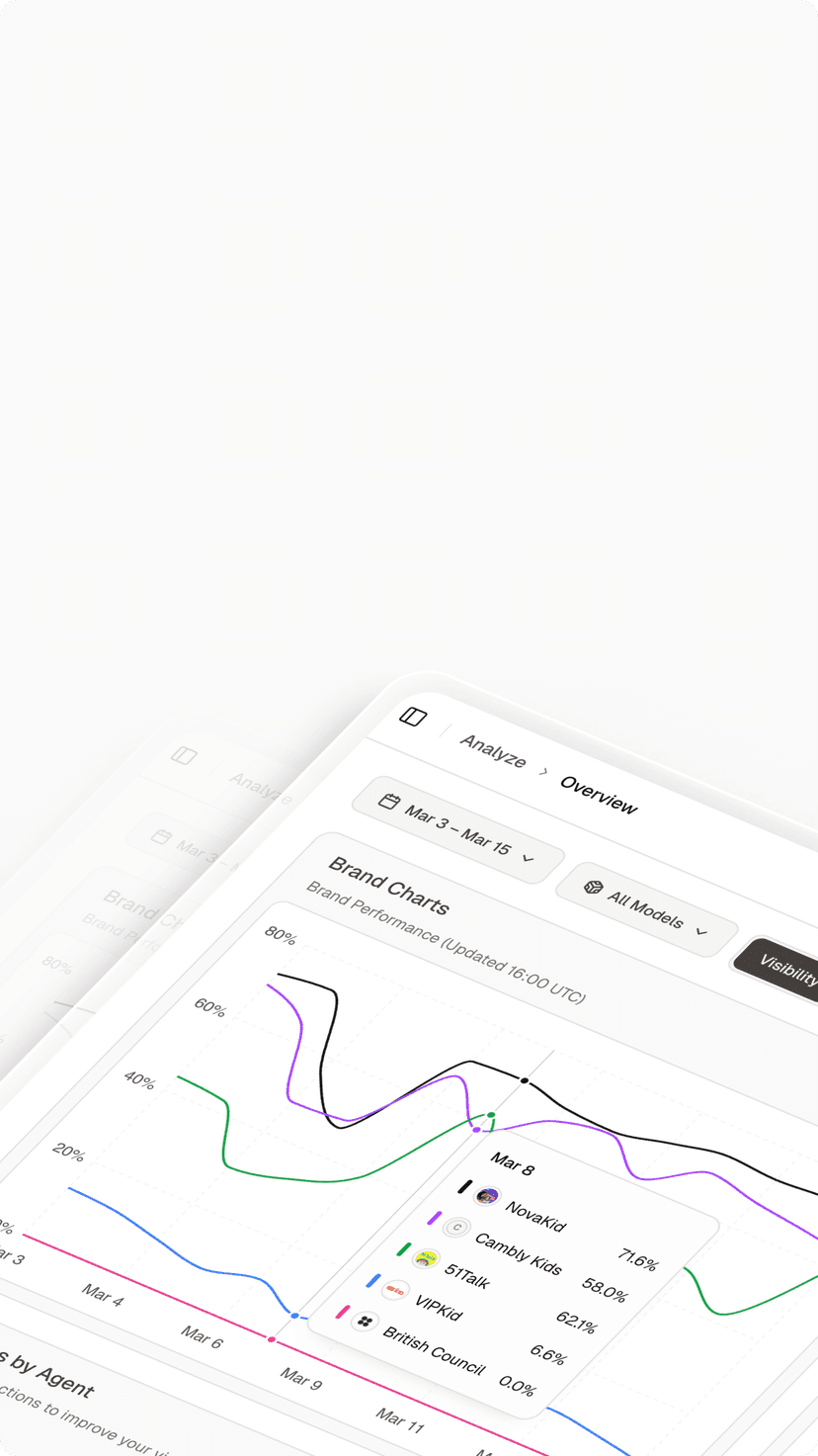
An international reporting engineer adds two countries and two device types to a regional dashboard. The resulting total looks plausible, but the request builder has never been tested against the population the business intended to select. A wider audience could look like growth, while an overly narrow request could look like a regional decline.
An AI search intelligence platform needs an explicit rule for which observations belong in that regional view. Multiple selected values are not enough to describe the logic. Before a team compares markets or allocates content work, it should translate the audience requirement into a small, reviewable test and verify that the reporting configuration selects the intended combinations.
Write the Regional Contract Before Building the Request
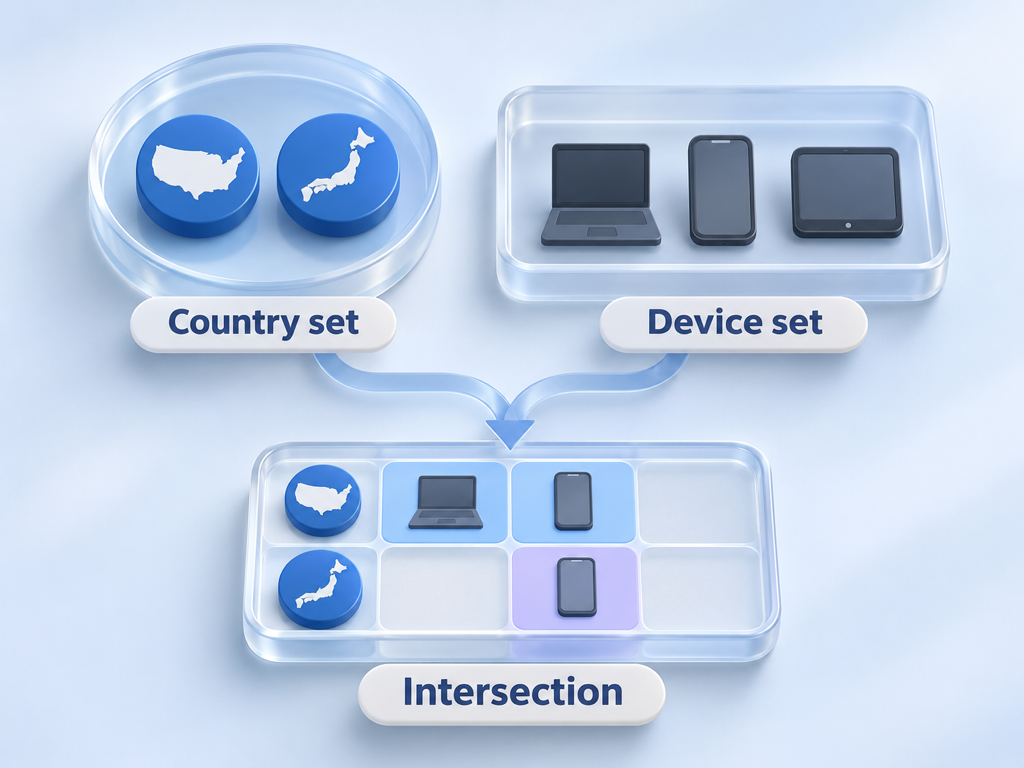
Define the audience in ordinary language before expressing it as parameters. A regional view might mean searches from Canada or Australia, using desktop or mobile devices, within a specified reporting period. The intended population contains the selected countries paired with either selected device; it does not include every country simply because the device is mobile.
Write down the exclusions as well. Tablets outside the requirement, countries outside the regional group, and dates outside the reporting period should stay out. Those negative cases often expose mistakes that a successful-looking aggregate cannot reveal.
Keep business regions separate from country codes. A label such as “Pacific growth markets” is an internal grouping, not a universal geographic definition. Store the exact membership under that label so a future addition does not silently alter the historical population.
Define the reporting unit at the same time. A property-level total and a page-level table can answer different questions even under identical audience filters. Your acceptance contract should state which output is needed and what kind of comparison will follow.
The population belongs in the specification.
Read Filter Lists in an AI Search Intelligence Platform
Google’s November 16, 2026 update added multi-country and multi-device filtering to the Search Analytics API. The relevant mechanism is filterLists, which lets one dimension accept several exact-match values rather than requiring a series of separate reports.
The API reference defines a list match as matching any supplied expression for that dimension. The supported group type remains and, so a country list and a device list in the same group must both match. This is the distinction between alternatives within a set and requirements across sets.
Translate that rule into a readable statement beside the implementation. “Country is in this set AND device is in that set” is easier for a regional stakeholder to review than an unexplained payload. Preserve the exact request separately so engineering can inspect the implementation when a test fails.
Do not implement a global OR merely because each individual selector allows multiple values. A global OR could admit observations from an unselected country whenever the device matches. It could also admit an unwanted device whenever the country matches, changing the business population in two directions.
Build a Small Country and Device Truth Table
Use a complete synthetic fixture before examining live totals. The following example selects Canada or Australia and desktop or mobile. These rows describe expected membership only; they are not measured traffic or results from an executed API request.
| Synthetic observation | Country condition | Device condition | Expected membership |
|---|---|---|---|
| Canada, desktop | Matches | Matches | Include |
| Canada, mobile | Matches | Matches | Include |
| Canada, tablet | Matches | Does not match | Exclude |
| Australia, desktop | Matches | Matches | Include |
| Australia, mobile | Matches | Matches | Include |
| Australia, tablet | Matches | Does not match | Exclude |
| France, mobile | Does not match | Matches | Exclude |
| France, tablet | Does not match | Does not match | Exclude |
The final two rows test a boundary that a selected-country-only fixture misses. A request can appear correct for every desired country while still admitting unwanted observations from elsewhere. Always include a case that satisfies only the device requirement and another that satisfies neither requirement.
Give each row an explanation that a nontechnical reviewer can challenge. A test should fail because a known observation is admitted or excluded incorrectly, not because an engineer guessed what the aggregate ought to be. This turns a reporting disagreement into a specific membership question.
Keep the fixture small enough to inspect manually. Add complexity only when the business requirement changes, such as a new region, a different device policy, or an explicit exclusion. A compact truth table is easier to maintain than a large collection of unexplained snapshots.
Reject Mixed Filters on the Same Dimension
Validate the request before sending it. Google’s reference prohibits using the same dimension in both filters and filterLists within a single request. A request builder should catch that conflict rather than relying on someone to interpret a later failure.
Design your configuration form around that rule. When a country list is active, a separate country filter should require an explicit resolution instead of being appended silently. Show the conflicting settings in the validation message so the analyst knows which choice to revise.
Test common maintenance mistakes with synthetic configurations. Include duplicate selected values, an empty selection, an unrecognized device value, and an old preset that still contains a single-value filter. These are proposed application checks; do not assume the service handles each case in the way your product needs.
Decide how empty selections behave before deployment. “No selection means all devices” and “no selection means no report” are different product decisions. Either can be understandable when displayed clearly, but an undocumented default can change the selected population without an analyst noticing.
Preserve the final resolved configuration, not just the selections visible before validation. That record lets a reviewer distinguish an intentional default from an accidental omission and repeat the same reporting definition later.
Reconcile Aggregates Without Assuming Complete Detail
Membership validation and aggregate reconciliation are separate checks. A correct filter does not guarantee that every returned detail table can be summed to reproduce a headline metric. The Search Analytics API documents internal row limitations, so treat returned detail as bounded reporting output.
Compare like with like before investigating a mismatch. Hold the property, search type, date range, data state, and aggregation level constant. Record which dimensions were grouped and whether page filters were applied; changing the shape of the report can change what the result represents.
Use a two-part review. First, demonstrate that the synthetic membership rule selects the intended country-device combinations. Second, inspect live output under a documented configuration and describe any remaining reconciliation limits. Do not use a live total to prove the truth table, or the truth table to promise complete live rows.
A difference should produce a narrower question. Ask whether it appeared after changing a filter, grouping, period, or region membership. Keep each change separate so the investigation identifies one condition at a time rather than comparing two reports that differ in several ways.
A plausible total is weak evidence of correct logic.

Carry Verified Regions Into AI Visibility Reviews
After the regional report passes its acceptance checks, Topify can support a separate review of brand recommendations in relevant markets. Supply a defined brand and buyer questions that fit the regional decision. Its AI search analytics workflow describes market selection and answer monitoring, allowing an analyst to review brand appearances, competitors, and cited sources under documented conditions.
Carry the region definition into that discussion as context, with the collection settings recorded separately. A country in a search report and a market setting for an answer observation do not establish identical people, sessions, or demand. The output can help decide which regional evidence or buyer question to investigate next. Keep request validation and the synthetic truth table outside the answer-monitoring workflow, and verify any needed integration independently rather than assuming native support for the new API filters.
The broader distinction between search reporting and answer-level observation helps keep that handoff precise. A shared business region can organize both reviews without turning their metrics into one comparable population.
For ongoing reporting, assign ownership to region definitions. Require a dated revision when countries or devices change, preserve the previous configuration, and explain whether a chart comparison crosses that boundary. The work is small compared with explaining a growth claim built on a changed audience.
Conclusion
Regional filter logic should be demonstrated with explicit membership cases before a dashboard tells a growth story. Define the audience, test alternatives within each dimension and requirements across dimensions, reject conflicting configurations, and retain the exact settings used. Reconcile live aggregates only after those basic membership checks pass, while preserving the limits of returned detail.
Start with one region and a small synthetic truth table that includes observations outside the selected countries. Ask the regional owner to approve the intended membership, then have engineering verify the request builder against it. Use market-specific AI answer analytics for a separate recommendation review when needed. The result is a reporting population everyone can explain, plus a clear boundary around what the comparison can establish.
FAQ
Do countries inside one filter list use OR?
A row matches a list when it matches any expression in that dimension’s list. Separate list conditions in a supported and group must each match.
Can filters and filterLists target the same dimension?
The current reference prohibits that combination within one request. Validate the conflict in the application before sending a scheduled report.
Why can detailed rows differ from totals?
Check reporting configuration and aggregation first. Returned detail is also subject to reporting limits, so do not assume every table contains all underlying observations.
Does a search region equal an AI prompt market?
No. They can share a business label while describing different collection conditions and populations. Record each definition separately before comparing findings.